
Need for Speed AI: Put Your Own Car in the Movie Chase, From One Photo
Your car stays your car. The Need for Speed AI trend takes the small-town street chase from the 2014 film and puts your own car in it, and the common complaint about the app templates is that everyone gets the movie car back with only their colour on it. Here your photo is the only car the model sees: your car, pickup, SUV or van, its own shape, colour and wheels, roars past a cyclist, slides behind a man at a diner railing, smokes out of a gas station past a woman at the pump, spins a burnout in the lot and tears off down the main road, with the trend's sound on top. One photo of your car · 15 seconds (the first half, 10 credits at 720p) or the whole 30-second trend (20 credits at 720p) · widescreen 16:9 with the trend's sound · ready in about 5 minutes · no prompt to write · no app.
Pick your length
- Vídeo de 15 s
- 16:9, como o original
- O som do próprio clipe
- Sem marca d'água
1Envie uma foto do seu carro
👤 Need for Speed AI: 1 foto basta
Uma foto do seu carro, picape, SUV ou van: o veículo inteiro na imagem, de lado ou de três quartos pela frente, à luz do dia. Com uma foto sua ou do seu pet, você vai ao volante de um muscle car preto.
2Escolha qualidade e duração
$9.99 por este vídeo · 3 por $19.99 · pagamento único, sem assinatura
Ou cerca de 10 por mês por $29.90/mês · renderizações com falha não são cobradas
Ao criar, você confirma que tem permissão para usar todas as fotos. Termos de Serviço
Ready in about 5 minutes · Failed renders are never charged · Packs never expire
The Need for Speed AI trend is the TikTok wave of November 2026 where owners put their own car into a sunny small-town street chase cut like the 2014 film Need for Speed: past a cyclist, a man at a railing and a woman at a gas pump, burnouts in the lot, then down the main road, to the film clip's sound ("original sound - n3uru2"). Here your car stays your car: add one photo of it (the whole vehicle, side or front three-quarter, daylight) and press Make, and it is the only car the model is given, so it does not turn into the movie's Mustang or the template's Camaro. In about 5 minutes you get a widescreen 16:9 MP4 with that sound, no watermark: 15 seconds (the first half, from the cyclist to the chase down the main road) for 10 credits at 720p, about $3.30 to $5.55 a video, or the whole 30-second trend, through town to the burnout at the downtown crossroads, for 20 credits. Label it AI-generated when you post. A failed render is never charged. No prompt to write and no app. It is a fan trend, not made by EA or the film.
What happens in the 15 seconds
Nine hard cuts in a sunny small town, the same beats as the viral AI takes, timed to the trend's sound. Your car is the only one doing stunts.
The cyclist (0–2s)
A low shot on a tree-lined road: a cyclist in a helmet pedals toward the camera and your car comes up behind him and roars past.
Across the lawn (2–4s)
A side tracking shot from across a lawn: your car speeds past a low brick restaurant and swings into the lot, tires smoking.
The man at the railing (4–6s)
On a diner's patio a man at a black railing turns and leans over it as your car slides sideways right behind him.
The gas station (6–9s)
Your car fishtails out of the gas station past a parked pickup, rear tires pouring smoke, while a woman at the pay kiosk turns to watch.
The burnout (9–12s)
A wide shot by the roadside sign: your car swings its nose round and spins a burnout circle in a cloud of white smoke.
From the other car (12–14s)
Through another driver's windshield, hands on the wheel, your car sits smoking across the lot; then a close-up of one wheel spinning.
The chase (14–15s)
A chase camera on the two-lane road: your car pulls away past the slower traffic as the sound peaks.
How to make the Need for Speed AI video with your own car
- 1
Take one photo of your car
The whole vehicle in the frame, from the side or the front three-quarter, in daylight, nothing parked in front of it. Cars, pickups, SUVs and vans all work. The town and the chase come with the effect, so the background does not matter.
- 2
Add it and check the price
Need for Speed AI is already selected on this page. Pick 15 seconds (the first half, 10 credits) or 30 seconds (the whole trend, 20 credits), then add the photo. Widescreen 16:9, with the trend's sound; the price shows on the button.
- 3
Press Make, download, post with an AI label
About 5 minutes later the MP4 is ready with the sound already on it and no watermark. Post it to TikTok, Reels or Shorts as it is (crop to vertical if you want the full screen) and mark it AI-generated, the way the viral posts do.
What is the Need for Speed AI trend, and where did it start?
The film. Need for Speed is a 2014 action film based on the Electronic Arts racing games, starring Aaron Paul; its hero car is a silver Shelby GT500 Mustang. One of its set pieces is a daytime chase through an ordinary small town: burnouts in parking lots, a car sliding past people on the street. That scene is where the trend gets its name and its sound. The games themselves have nothing to do with it.
The clip. On 17 October 2026 @trembala_555 posted the Mustang scene on TikTok, captioned “REAL NEED FOR SPEED FANS REMEMBER THIS MUSTANG”. It passed a million views. Its sound, listed as “original sound - n3uru2”, is the film clip's own audio: we matched it against the AI posts and it lines up from the first second.
The AI versions. From 9 November owners started posting their own cars dropped into the same kind of chase: @5.0.camm's grey Mustang GT, @z32.blake's friend's black Trans Am (10 November, about 290,000 views, set to Chris Rainbow's “Be Like a Woman”), @lakenyoung's pickup (“What did Ai do to my truck”) and @greddytc05's red Camaro (13 November, about 420,000 views, “obviously Ai content”). The Camaro and the Trans Am follow the same shots: the cyclist, the man at the railing, the gas station, the woman at the pump, the burnout, the view from another car, the main road. On 13 November the hashtags #needforspeedaitrend and #needforspeedaicar appeared, and tutorial accounts followed.
On this page. One photo of your car takes the Camaro's place in those shots, and the n3uru2 sound is laid over the finished video so the engine notes land where they do in the trend.
Need for Speed AI at a glance
- Also called
- The Need for Speed AI trend, the Need for Speed AI car swap, NFS AI, Need 4 Speed AI, the Need for Speed AI car video, #needforspeedaitrend, #needforspeedaicar.
- What you add
- One photo of your car, pickup, SUV or van: the whole vehicle, side or front three-quarter, daylight. No prompt to write, no app.
- What you get
- 15 or 30 seconds, widescreen 16:9 like the trend, MP4 at 720p, with the trend's sound (“original sound - n3uru2”), no watermark. Rendered on Seedance 2.0 Mini from a shot-by-shot beat sheet of the viral AI takes, with your photo as the car; the 30-second version is two 15-second halves joined at the trend's own hard cut.
- Price and time
- 15 seconds: 10 credits at 720p, about $3.30 to $5.55 a video depending on the pack (7 credits at 480p). The whole 30 seconds: 20 credits at 720p. Ready in about 5 minutes. A failed render is never charged.
How the Need for Speed AI trend spread
Every row links to the post it describes. Dates are in UTC; view counts were read on 18 November 2026 and keep growing.
| Date | What happened | Source |
|---|---|---|
| 14 March 2014 | Need for Speed, the film based on the EA games, opens in US cinemas, with Aaron Paul and a silver Shelby GT500 Mustang. The small-town chase is one of its scenes. | Wikipedia |
| 17 October 2026 | @trembala_555 posts the film's Mustang scene, “REAL NEED FOR SPEED FANS REMEMBER THIS MUSTANG”: about 1.16 million views. Its sound, “original sound - n3uru2”, becomes the trend's sound. | TikTok, @trembala_555 |
| 9 November 2026 | @5.0.camm posts a grey Mustang GT in an AI chase, captioned “iykyk”: one of the first AI car versions. | TikTok, @5.0.camm |
| 10 November 2026 | @z32.blake puts a friend's black Trans Am through the template, set to Chris Rainbow's “Be Like a Woman”: about 290,000 views. | TikTok, @z32.blake |
| 11 November 2026 | @lakenyoung posts a pickup, “What did Ai do to my truck”: about 73,000 views. Trucks join the trend. | TikTok, @lakenyoung |
| 13 November 2026 | @greddytc05's red Camaro, “obviously Ai content”, with the n3uru2 sound: about 420,000 views, the most-watched owner post we found. The same day the hashtags #needforspeedaitrend and #needforspeedaicar are created; by 18 November each has about 500 videos and around 2 million views, and tutorial accounts fill them. | TikTok, @greddytc05 · #needforspeedaitrend |
Written by the RapVideoAI team. Published 20 November 2026.
The Need for Speed AI trend, the way people post it
Posted on TikTok by their creators, not made with this tool. View counts as of 18 November 2026.
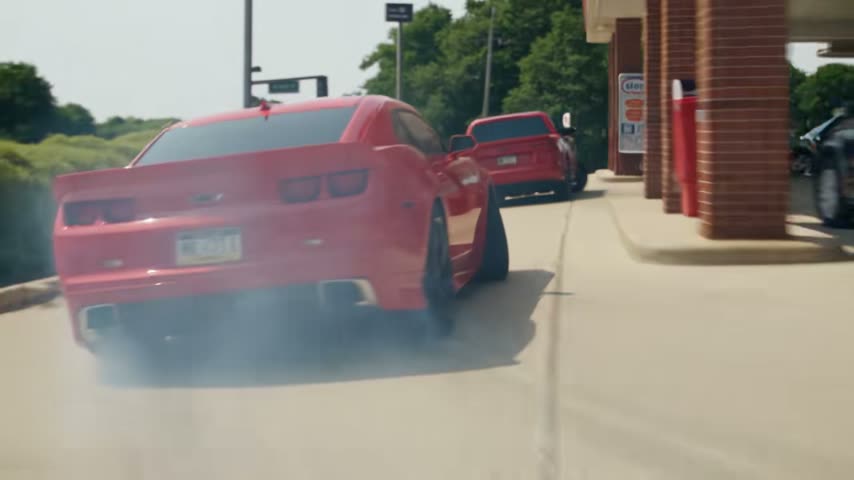
The 15 seconds, shot by shot
Read every half second off the viral AI takes. Every shot is a hard cut; your car is the one in the photo.
| Time | Camera | What happens |
|---|---|---|
| 0–2 s | Low, on the road | A cyclist in a black helmet pedals toward the lens; your car comes up behind him and roars past. |
| 2–4 s | Side tracking, across a lawn | Your car speeds past a low brick restaurant and swings into a roadside lot, a little smoke trailing. |
| 4–6 s | On the diner patio | A man at a black metal railing turns and leans over it as your car slides sideways past right behind him. |
| 6–7.5 s | Low chase camera behind | Your car fishtails out of the gas station lot past a parked pickup, rear tires pouring white smoke. |
| 7.5–9 s | At the gas station | A woman by the pay kiosk, back to the lens, turns to follow your car sliding past in the background. |
| 9–12 s | Wide, by the roadside sign | Your car swings its nose toward the camera, then spins a burnout circle in billowing white smoke. |
| 12–13 s | From inside another car | Past a driver's hands on the steering wheel, your car sits across the lot, smoke drifting off it. |
| 13–14 s | Extreme close-up | One of your car's wheels spinning on the asphalt, smoke curling off the tire. |
| 14–15 s | Chase camera on the road | Your car pulls away fast past the slower traffic on a two-lane road with a yellow centre line. |
The sound is laid over the finished video, so the engine notes land on the same cuts every time. The 30-second version carries on from here: the chase through town past a black sedan, a navy car whipping past the lens, a slide along a strip mall, the turn at the crossroads, a foot stamping the gas pedal, a run straight at the camera and the burnout at the downtown intersection. The cyclist, the man and the woman are AI extras, not real people.
Your car, your truck, or you at the wheel
The trend is about the car. One photo decides what drives through the town.
Your car
Muscle cars get the most views (Mustang, Camaro, Trans Am), but any car works: a family minivan or a hatchback doing burnouts is half the joke. Its shape, colour and wheels come from your photo.
Your truck or SUV
Pickups are where the trend took off: @lakenyoung's “What did Ai do to my truck”. A beat-up work truck sliding past the gas pumps is funnier than a sports car, and it reads well in widescreen.
You at the wheel
Add a photo of yourself instead and you drive a plain black muscle car, seen through the open window, deadpan.
Your dog at the wheel
A photo of your dog or cat puts it in the driver's seat of the black muscle car, calm as anything while the tires smoke.
What goes wrong, and how to fix it
Nine shots in 15 seconds is a lot for one render, and most misses come from the car photo. Every run is a new take, and a failed one is never charged.
| Problem | Why | Fix |
|---|---|---|
| The car doesn't look like yours from behind | The photo shows the front, so the model has to guess the rear lights and the bumper. | A front three-quarter photo shows the most; a side photo helps the tracking shots. The whole car in frame, daylight, nothing in front of it. |
| Your badge or plate is gone | The effect asks for no lettering and a blank plate, so it doesn't invent fake text or show your real plate number. | That is on purpose. The car's shape and colour stay yours. |
| A shot is missing or two run together | Nine cuts in 15 seconds: now and then the model merges two of them. | Run it again; the beats are fixed in the prompt and land differently each take. |
| A second car looks like yours | Other traffic is in most shots. | The effect tells the model nothing else shares your car's colour or shape; run it again if one slips through. |
| The video is wide, not vertical | The trend is widescreen 16:9, like the film it copies. | Post it as it is, the way the viral posts do, or pick 9:16 in the generator before you press Make. |
| The photo is refused | Some photos fail the content check (a celebrity, a child, a stranger's face up close). | The credits come back. A photo of the car on its own works every time. |
The Need for Speed AI prompt, if you want to make it elsewhere
You do not need a prompt here: the effect writes it for you and lays the trend's sound on top. If you want to try it in a general image-to-video tool instead, this is the beat sheet it follows, written out as a prompt, with your car photo as the reference image.
Need for Speed AI prompt. Horizontal 16:9, a 15-second video made of 9 shots joined by hard cuts. The hero car is the vehicle in the photo: keep its exact body shape, colour, wheels, lights, grille and trim in every shot; blank license plate, tinted windows, the driver never seen. A summer movie car chase in a sunny small American town, bright midday sun, green trees, low brick shops, a diner and a gas station; real cinematic film footage, handheld and car-mounted cameras. The hero car is the only car doing stunts; other traffic is ordinary cars in other colours. 0-2 s: low camera on a tree-lined road, a cyclist in a black helmet pedals toward the lens, the car roars past right beside him. 2-4 s: side tracking shot across a lawn, the car speeds past a brick restaurant and swings into a lot. 4-6 s: on a diner patio, a man at a black railing turns and leans over it as the car slides past behind him. 6-7.5 s: low chase camera, the car fishtails out of a gas station past a parked pickup, tires smoking. 7.5-9 s: a woman by the pay kiosk turns to follow the car sliding past. 9-12 s: wide, by a roadside sign, the car spins a burnout circle in white smoke. 12-13 s: through another car's windshield past a driver's hands on the wheel, the car sits smoking across the lot. 13-14 s: extreme close-up of a wheel spinning. 14-15 s: chase camera, the car pulls away down a two-lane road. A movie stunt on a closed set: no crash, nobody hit. No text, no logos, no watermark.
Prompt-only tools without the sound tend to lose the timing, and a template built on someone else's car can turn yours into theirs in the close-ups; here your photo is the only car the model sees, and the sound is added afterwards so it always lands.
Which photo of your car works best?
The car's shape, colour and wheels come from the photo. The town does not.
The whole car, front three-quarter
Stand a few steps back at a front corner so the front and one side are both in view, the whole car in the frame from bumper to bumper.
Daylight, no glare
The chase is in bright sun, so a daylight photo keeps the paint colour true. Avoid night shots and heavy reflections.
Nothing in front of it
No people, other cars or bins between you and the car. One vehicle per photo.
Mods show up
Wheels, a lift, a wing, a wrap colour: whatever is visible in the photo is what tears through the town.
Put your car in another trend
Same deal on every one: one photo, the trend's shots and its sound.

24 Car Trend AI
The UNO card flick: a 2 and a 4 across the lens, then your car is parked behind you, to “Unforgettable”.
Make this one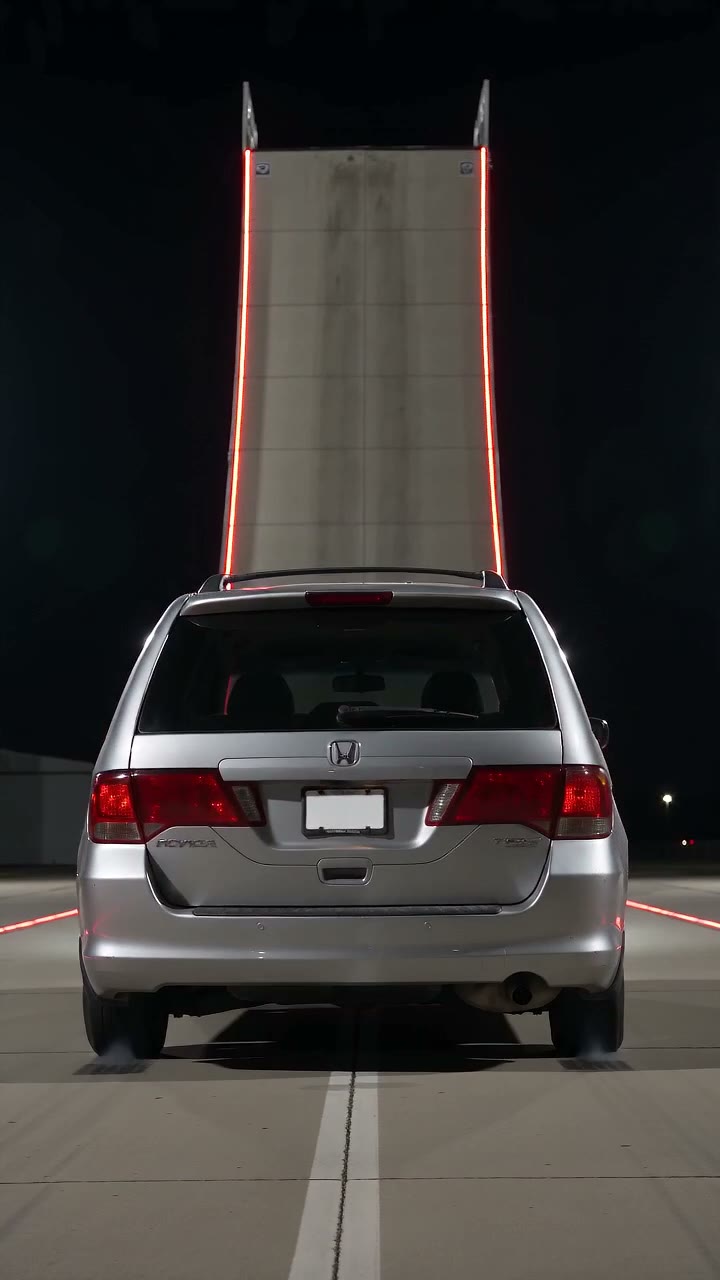
Flying Car AI
Stuck in traffic, a button, the car lifts off and glides over the jam. Or your car up the giant ramp.
Make this one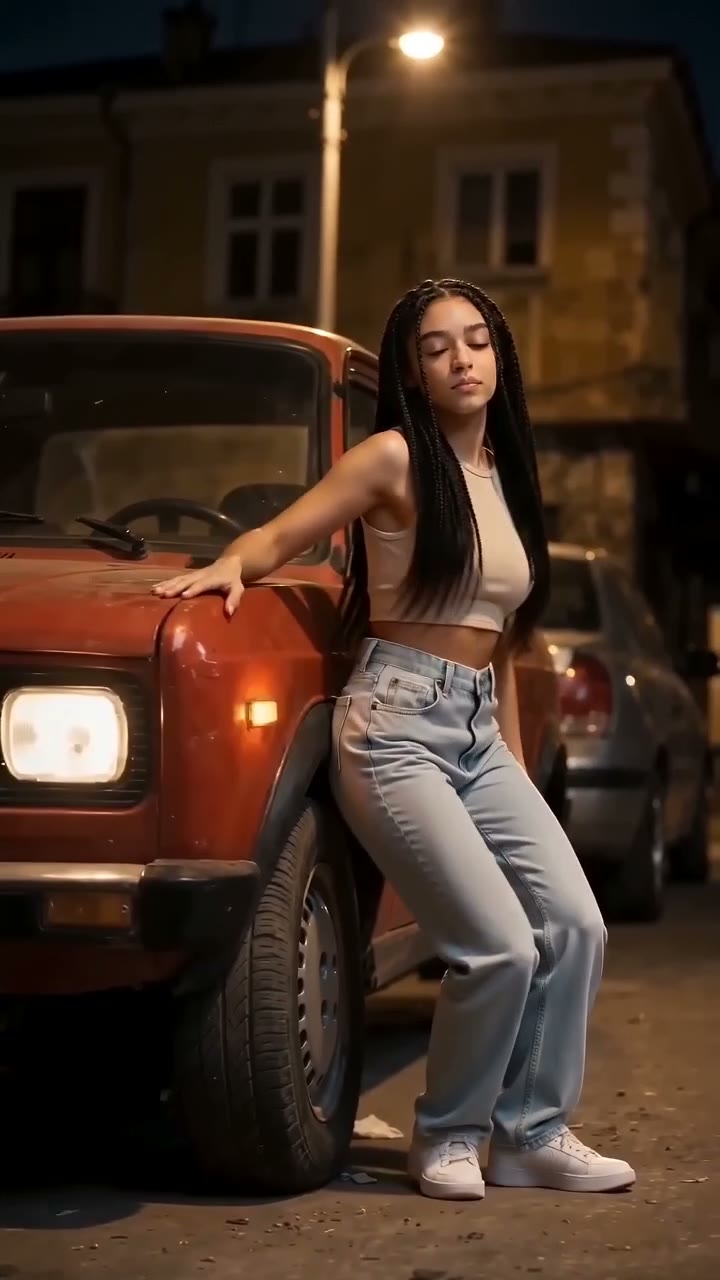
Car Alarm Dance AI
The alarm goes off and whoever is next to the car dances to it. You, your dog or your cat.
Make this one
Car Jump AI Video
Make this oneQuanto custa um vídeo aqui
Um vídeo de 15 segundos em 720p custa aqui 10 créditos. Pague uma vez pelo vídeo que acabou de preparar, ou assine se fizer um toda semana. Renders que falham nunca são cobrados.
Todas as contagens aqui são de vídeos padrão: 12 segundos em 720p = 10 créditos. Efeitos, remakes e vídeos mais longos ou em HD mostram o próprio custo antes de criar, e uma renderização que falha nunca é cobrada.
Pague uma vez
Os créditos não expiramSingle
12 créditos · 1 vídeo padrão
$9.99
≈ $9.99 / vídeo padrão
Trio Pack
Economize 33%36 créditos · 3 vídeos padrão
$19.99
≈ $6.66 / vídeo padrão
Crew Pack
Economize 59%120 créditos · 12 vídeos padrão
$49
≈ $4.08 / vídeo padrão
Um para cada um da família, ou 5 em qualidade Pro
Studio Pack
Economize 67%300 créditos · 30 vídeos padrão
$99
≈ $3.30 / vídeo padrão
Pacotes maiores:Label Pack · 72 vídeos padrão · $199Melhor custo-benefícioVer todos os pacotes e planos
Ou assine e economize
Créditos renovados todo mês · cancele quando quiserBasic
100 créditos / mês · 10 vídeos padrão
$29.90/mês
≈ $2.99 / vídeo padrão
Pro
Economize 16%200 créditos / mês · 20 vídeos padrão
$49.90/mês
≈ $2.50 / vídeo padrão
Agency
Economize 30%480 créditos / mês · 48 vídeos padrão
$99.90/mês
≈ $2.08 / vídeo padrão
- Vídeo HD, sem marca d’água
- Baixe e publique onde quiser
- Renders que falham são grátis
- Pagamento seguro pela Stripe
Need for Speed AI questions
Can't find your answer? Email us at [email protected] and we'll get back to you.
What is the Need for Speed AI trend?
How do I do the Need for Speed AI trend with my car?
Will it look like my car?
Does it work with trucks, SUVs and vans?
What song or sound does the Need for Speed AI trend use?
Is it a real scene from the Need for Speed movie or game?
Is there a CapCut template for Need for Speed AI?
How long is the video, and what format is it?
Can I get the full 30-second version?
How many credits does the Need for Speed AI video cost?
How long does it take to make?
Is there a free Need for Speed AI generator?
Can I put myself or my dog in it instead of a car?
Why are the badges and the number plate gone?
Is “Need 4 Speed AI” the same trend?
Is this made by EA or connected to the Need for Speed games or film?
Can I use a photo of someone else's car?
Your car, the movie chase
One photo of your car, 15 or 30 seconds with the trend's sound, from 10 credits.