
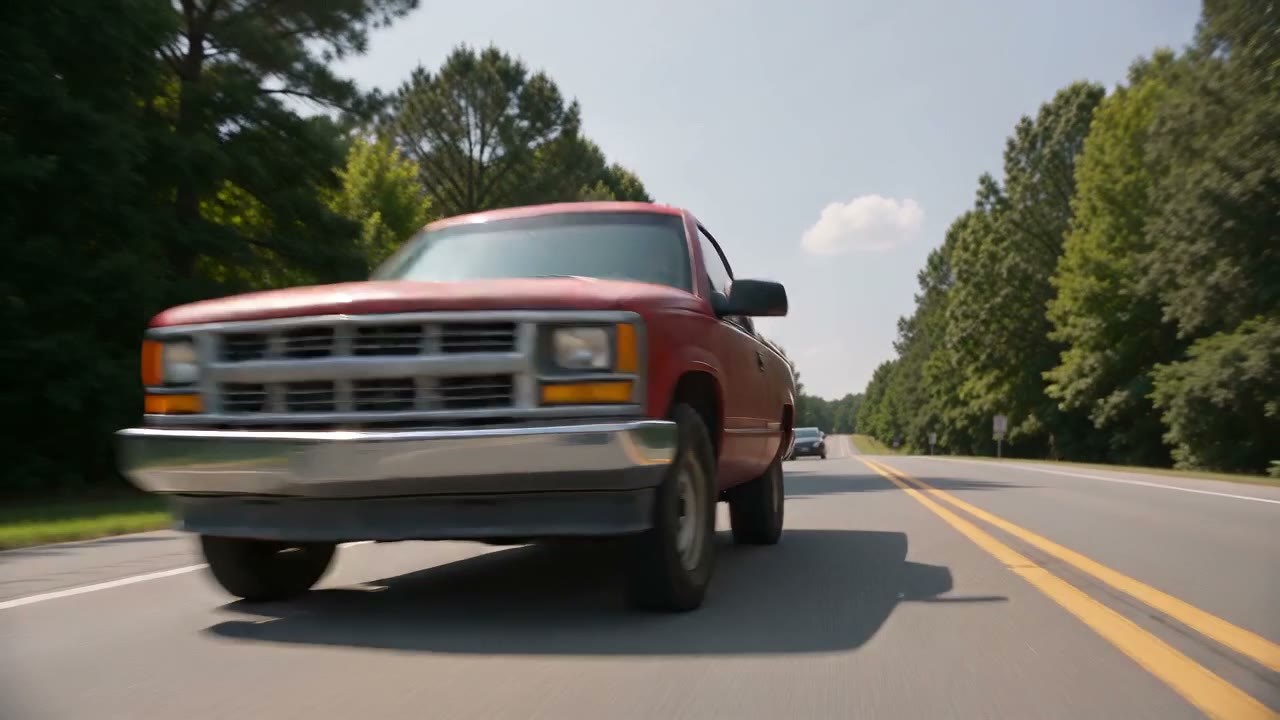
Our sample: one photo of a faded red work pickup, 15 seconds, with the trend's sound. The truck and the photo are AI-generated.
To make the Need for Speed AI video, you need one daylight photo of your car with the whole vehicle in the frame. Upload it to a generator that treats that photo as the car, and you get the sunny small-town chase everyone is posting: past a cyclist, sideways behind a diner, out of a gas station in smoke, and off down the main road, to the clip's original sound. On the Need for Speed AI page it takes about five minutes, 15 seconds for 10 credits or the full 30 for 20.
The catch most people run into is not the chase. It is that the car in the finished video is no longer theirs. This guide explains why that happens, how to avoid it, and every step from photo to post.
Where the trend comes from, in one paragraph
The name and the sound come from the 2014 film Need for Speed, the Aaron Paul movie based on the EA games, and its daytime chase through an ordinary town. On 17 October 2026 @trembala_555 posted that Mustang scene on TikTok and it passed a million views. Its audio, listed as "original sound - n3uru2", became the soundtrack. From 9 November owners started posting their own cars in AI versions of the chase: a Trans Am, a pickup captioned "What did Ai do to my truck", a red Camaro with about 420,000 views. The Need for Speed AI page keeps the full timeline with a source for every row.
Nobody at EA or the studio made the trend, and the AI videos are not scenes from the film or the games.
Why your car keeps turning into the movie car
Most tutorials send people to a one-tap app template. Those templates start from a fixed video of a hero car and swap in what they can from your photo, usually the colour and a few details. That is why the most common complaint under the tutorials, as MakeViral's write-up of the trend puts it, is that the template "gives everyone the movie car instead of their own". A pickup comes back with a Camaro's roofline, a hatchback grows a muscle-car hood.
It is also half the joke of the "What did AI do to my truck" posts. If you want the joke, a template is fine. If you want your own car in the chase, the photo has to be the only car the model sees, with nothing else to copy.
That is how our version works. There is no source video of another car underneath: the model gets your photo and a shot-by-shot description of the chase, so the body, the colour and the wheels in the video are the ones in your photo.
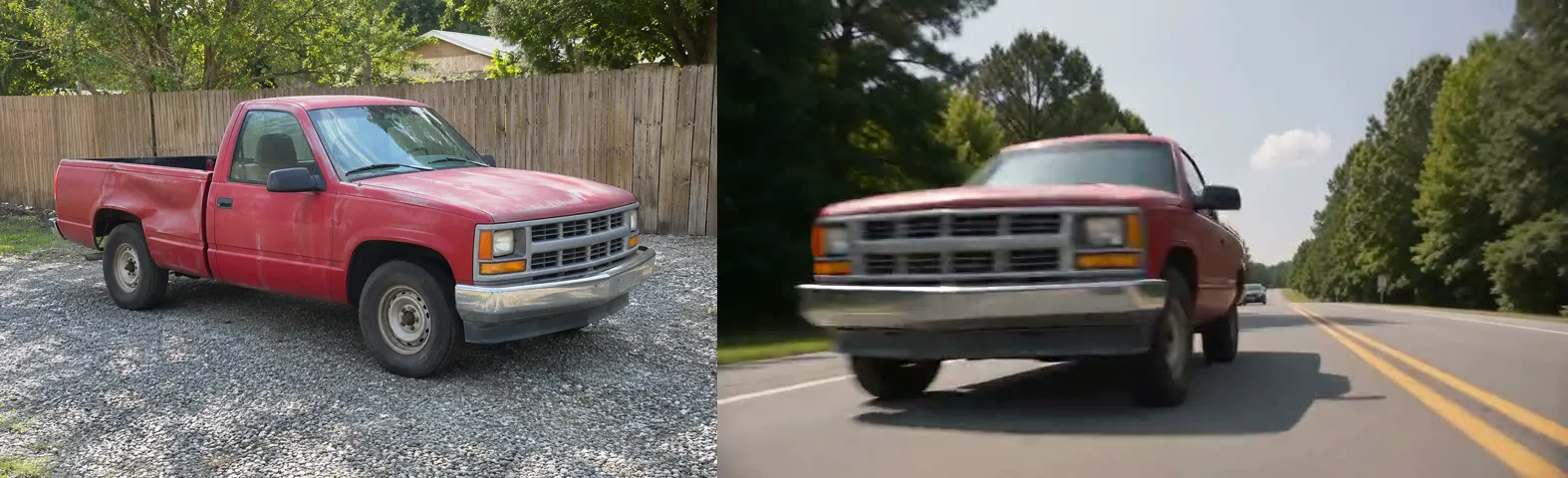
Left, the photo. Right, the same truck one second into the video: same cab, same grille, same steel wheels.
What does change on purpose: badges and the number plate are left blank, so the model does not invent fake lettering or show a real plate. Anything the photo cannot show, usually the back of the car, is filled in, which is why the angle of the photo matters.
Which photo to use
- Front three-quarter, whole car. Stand a few steps back at a front corner so the nose and one side are both in view, bumper to bumper. A straight side shot also works and helps the tracking shots.
- Daylight. The chase is in full sun. A night or garage photo shifts the paint colour.
- Nothing in front of it. No people, bins or other cars in the way, one vehicle per photo.
- Modifications come through. A lift, a wing, aftermarket wheels or a wrap colour that shows in the photo shows up in the video.
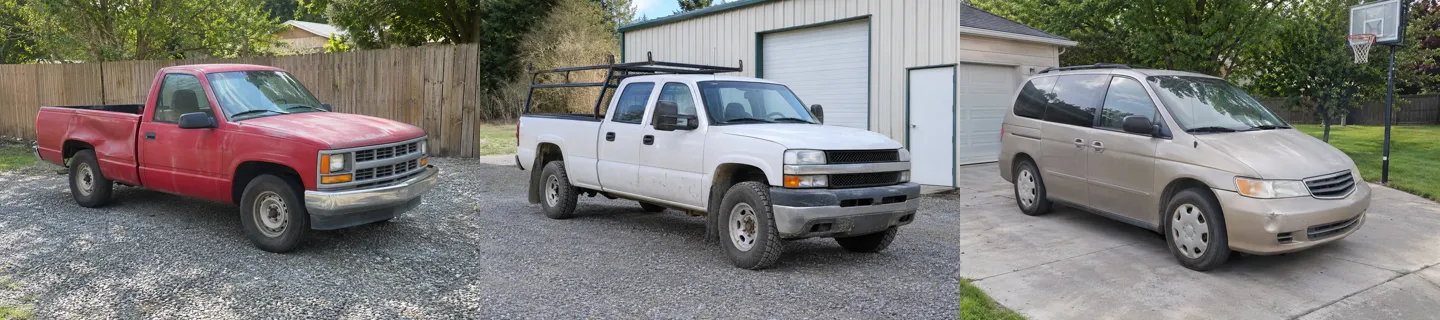
The three photos our samples were made from. None of them is a sports car, and that is the point.
The trend's best laughs are ordinary vehicles doing film stunts. A family minivan drifting out of a gas station is funnier than a Mustang doing it, because a Mustang is supposed to.
How to make it, step by step
- Open Need for Speed AI. The effect is already selected.
- Pick a length. 15 seconds is the first half of the trend, from the cyclist to the run down the main road, for 10 credits at 720p (7 at 480p). 30 seconds is the whole thing, through town to the burnout at the downtown crossroads, for 20 credits.
- Add the photo of your car. One photo, one vehicle.
- Press Make. The video is widescreen 16:9 like the trend (the 15-second version can switch to vertical 9:16 first), with the n3uru2 sound laid over the finished video. There is no prompt to write.
- Download the MP4 after about five minutes. There is no watermark.
A render that fails is never charged. A video that finishes but that you don't like still uses its credits. Credits come in packs that never expire: the $9.99 Single (12 credits) covers one 15-second video, and the $19.99 Trio (36 credits) covers a 30-second one with credits left over. Unused packs can be refunded within 7 days (refund policy).
What happens on screen
The 15 seconds follow the same beats as the most-watched AI posts, nine hard cuts in all. A few of them from our pickup sample:
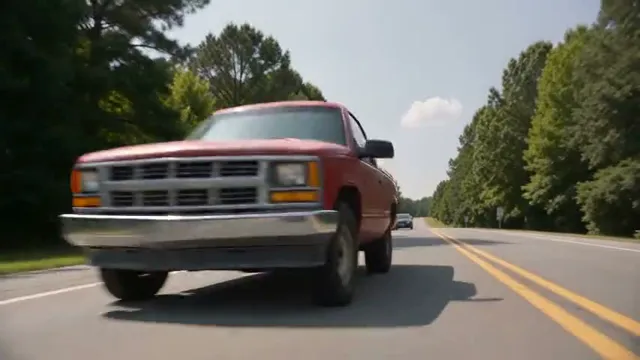
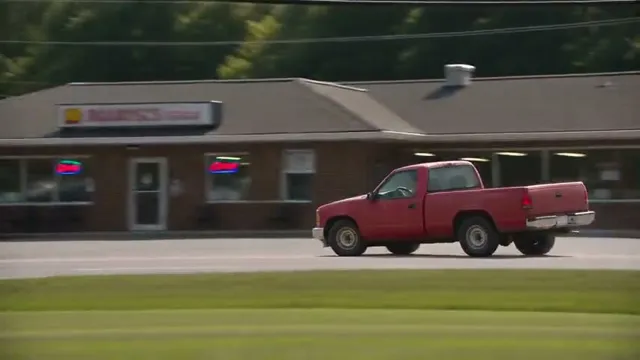
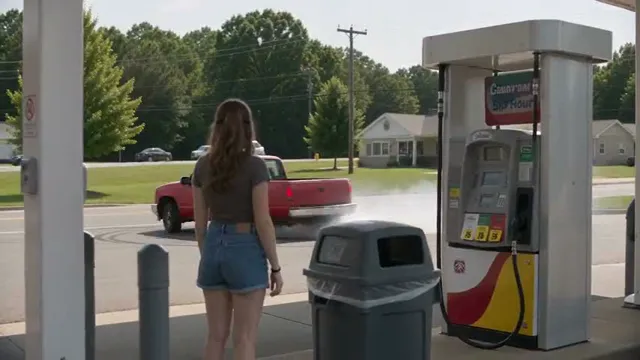
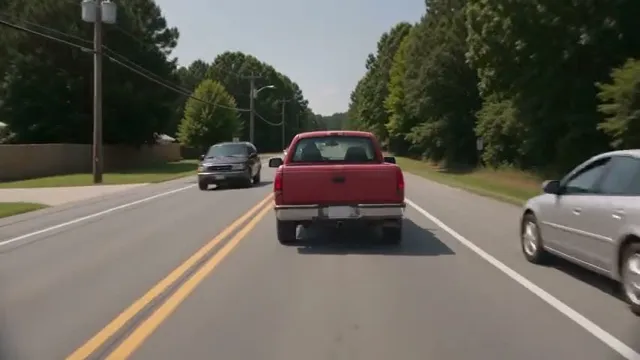
The open road, the diner, the woman at the pump, the chase.
The 30-second version adds the trend's second half: the chase through town, a slide past a strip mall, the pedal hitting the floor and a burnout in the middle of a downtown crossroads, joined to the first half at the trend's own hard cut.
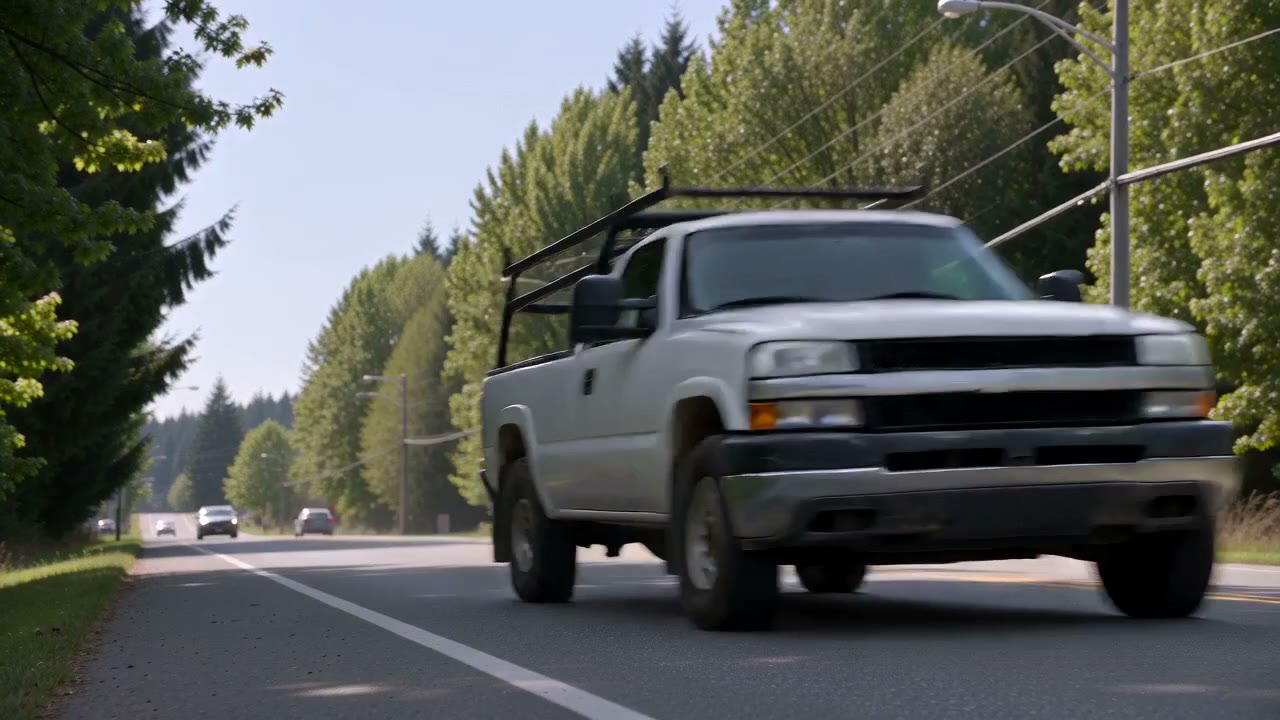
The 30-second version, from the photo of the dusty white work truck.
The sound
Almost every post uses "original sound - n3uru2". We matched it against the film clip @trembala_555 posted and the AI posts, and it is the clip's own audio, engine notes and all, lining up from the first second. Some creators swap in Chris Rainbow's "Be Like a Woman" instead. Your video comes with the n3uru2 sound already on it. If a platform mutes it as a third-party recording, post the video again and pick the sound from the app's library.
Posting it
- Widescreen or vertical. The viral posts are widescreen with bars above and below, like the film. Post it as it is, or make the 15-second version in 9:16 if you want the full screen.
- Label it AI-generated. The posts that did best said so in the caption ("obviously Ai content" on the Camaro). Turn on the platform's AI label too.
- Only your own car, or one whose owner said yes. The video looks like a real stunt, so don't post it as real footage.
- Captions that work tell a small story: "my mom's minivan has a secret life", "the work truck after clocking out", "what my 2004 Corolla thinks it looks like".
More car-sized trends
If the chase is your first AI car video, the same studio does the Car Alarm Dance for the dog that takes a car alarm personally, and the Flying Car AI for a car that takes off.
RapVideo AI is an independent tool, not affiliated with Electronic Arts, the Need for Speed games or film, or the creators named above. The vehicles and people in our samples are AI-generated.