
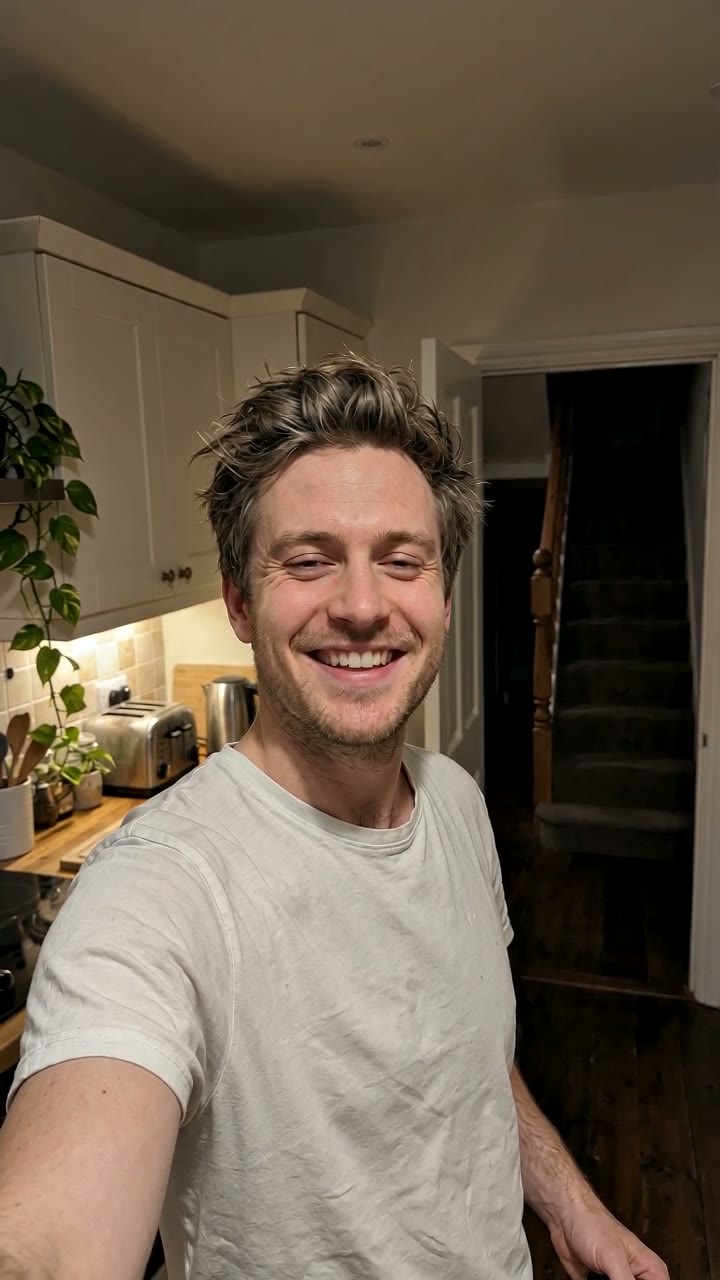
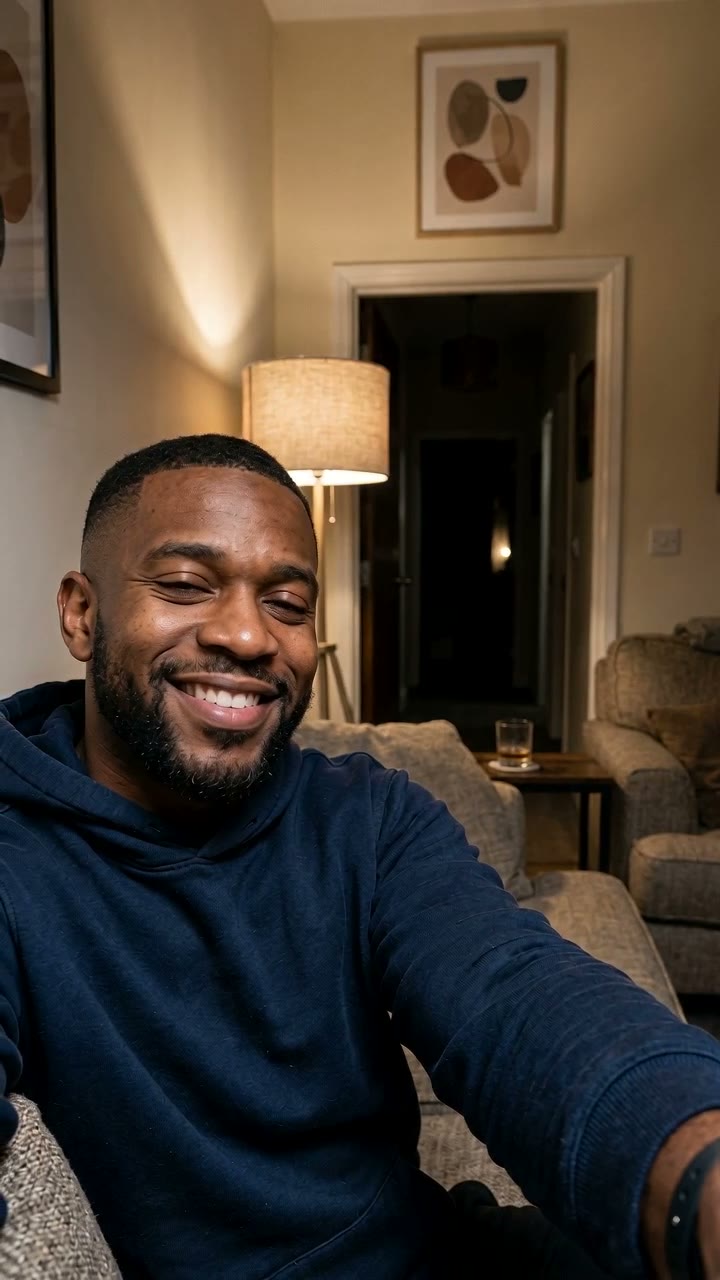
Made from one selfie on RapVideo AI with the AI method below. The man is AI-generated.
The ghost filter prank is simple to describe: a hunched grey ghost with long stringy hair, huge white eyes and a grin that is far too wide appears behind someone on camera, and the video is about who notices her first. There are three ways to make one, and they suit different situations. If the person is standing in front of you, use the TikTok effect. If you already have clips to edit, use CapCut. If all you have is a photo, use an AI tool such as RapVideo AI, which makes the whole clip from one selfie.
| Method | What you need | Time | Cost | Best for |
|---|---|---|---|---|
| TikTok effect "kuntilanak behind" | The person in front of you, live | Instant | Free | Filming someone's real reaction |
| CapCut (same effect, or a look-alike template) | Your own clips, some editing | Depends on your edit | Free | Adding the ghost to footage you already shot |
| AI from one photo (RapVideo AI) | One selfie | A few minutes | 7 credits; a $9.99 pack covers it | Sending the prank to someone who isn't there |
Where the ghost comes from
The ghost is not one creator's clip. It is a TikTok effect called "kuntilanak behind", made by @ellanurfasa; a kuntilanak is a long-haired female ghost from Indonesian folklore. By 16 October 2026 TikTok listed about 1.09 million videos made with it, which is why the same grinning face turns up in so many unrelated posts. If you have been asking "what filter is this?", that is the answer.
Two things it is often confused with:
- CapCut's "GHOST FILTER" template (by itsmejho, about 1.32 million uses by 16 October 2026) is a different trend: its preview is Ghostface, the masked killer from Scream, standing in a bedroom doorway. Several trend guides list it as the ghost prank template; it is not.
- Snapchat has its own "ghost behind you" lenses, but we found none with this ghost.
How the trend spread
- 22–23 September 2026, South Africa. The current wave starts with dozens of South African clips using the effect within two days; the biggest, a prank on a little sister, passed 16 million views.
- 6 October 2026. A South African grandmother took the ghost for a tokoloshe and started negotiating with it; Briefly News picked it up on 7 October.
- 7 October 2026, the US. A clip captioned "Ghost filter prank", filmed on a small child, passed 40 million views by 16 October, and copies spread across US parenting accounts.
- 8 October 2026. A post on X titled "Ghost filter prank" reached about 6 million impressions by 15 October, the largest single X post we found.
- 16 October 2026. #ghostprank shows about 8,900 videos and 309 million views, #ghostfilter about 4,600 and 90 million, #ghostsfiltereffect about 3,400 and 55 million. Growth has slowed: about 70 to 80 new videos per tag in two days.
Most of the biggest posts show children, and the most-liked comments under them call it cruel. The adult versions are smaller but get laughs instead: a prank on a mom (about 800,000 views), a South African creator pranking his housekeeper (about 342,000) and a girlfriend trying it on her boyfriend "who's super scared of ghosts". Every method below works on adults who are in on the joke, and that is the version worth making.
Method 1: the TikTok effect
This is the original prank, and it only works live.
- In TikTok, tap +, then Effects, and search "kuntilanak behind". Searching just "ghost" returns many unrelated effects.
- Point the camera at your friend, not at yourself, with some room behind them.
- Start recording, let the ghost appear over their shoulder, then turn the screen around and film their reaction.
The scare is real because the person sees it for the first time on your screen. The catch: the ghost is a flat overlay that sometimes slides when people move, and you cannot use a photo or video you already have.
Method 2: CapCut
The effect comes from CapCut's effect library, so you can add the same ghost to clips in the CapCut editor, and there are look-alike templates too. One we found is a template simply named "video" by Future301 (about 132,000 uses on 16 October 2026); search "ghost prank" in the Templates tab and check the preview shows the grey long-haired ghost, not Ghostface.
- Open the template, tap Use template and pick your clip, or add the effect to your own footage in the editor.
- Export and post. Keep the original sound; the sting is half the scare.
This is the free option if you already have footage. You still have to film, and the ghost stays a layer on top of the video, so it does not match the light in your room.
Method 3: AI from one photo
If you want to send the prank to someone who is not there (your mom, your partner, the group chat), you need the video to look like a selfie you just took. RapVideo AI (rapvideoai.com) makes that from a single photo: it animates you and generates the ghost into the room behind you.
On the ghost filter prank page the whole clip is set: you upload one selfie and press Make. Here is what one render looks like, second by second:
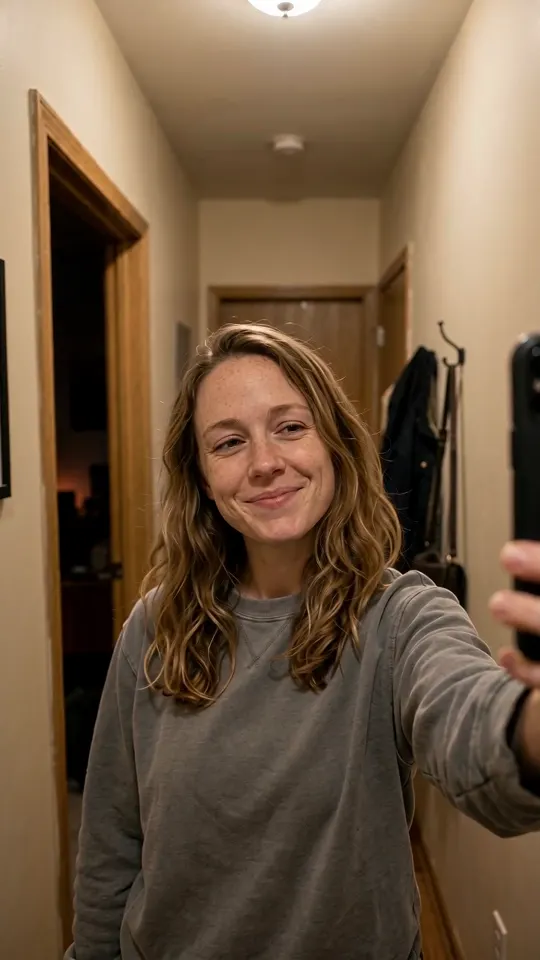
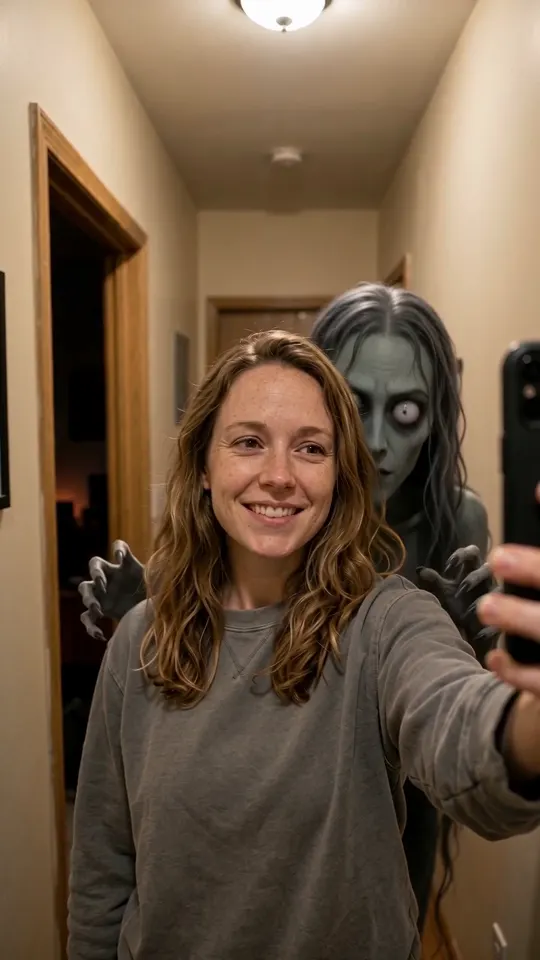
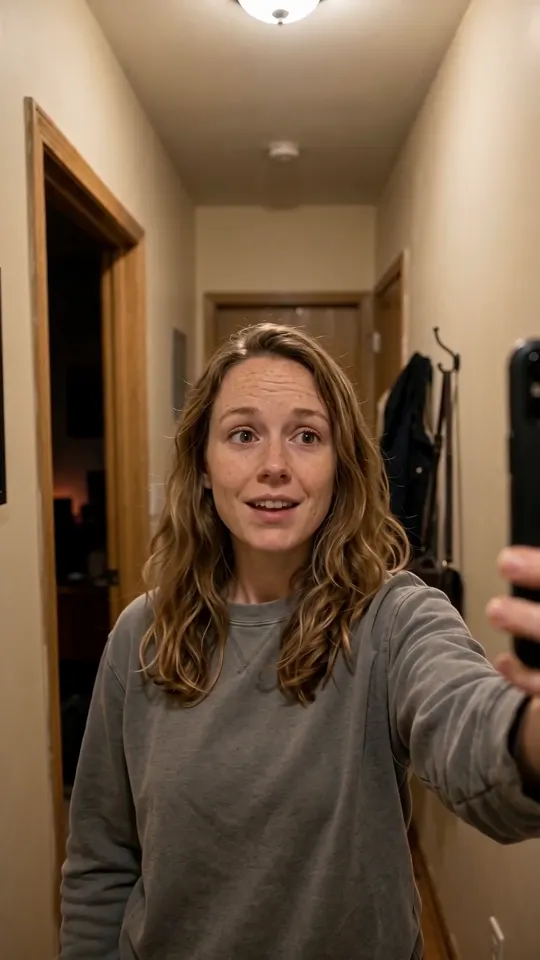
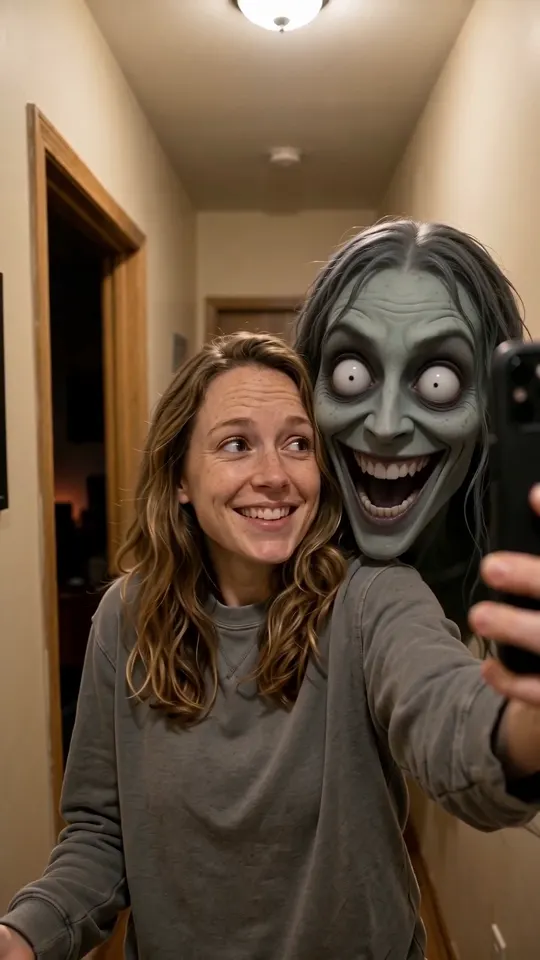
1 s, 3 s, 6 s and 7.5 s of the same 8-second render: empty hallway, the ghost rises, she looks back and sees nothing, the ghost returns.
The look-back is what makes it work as a prank. Whoever watches it sees the ghost before she does, then sees her miss it, and the last beat lands on them.
What photo to use
The ghost needs somewhere to come from. A doorway, a hallway, stairs or a dark corner behind your shoulder gives the best results, and a slightly dim room at night sells it. Use a front-camera selfie of one person facing the lens; mirror selfies show the room twice and confuse the scene.
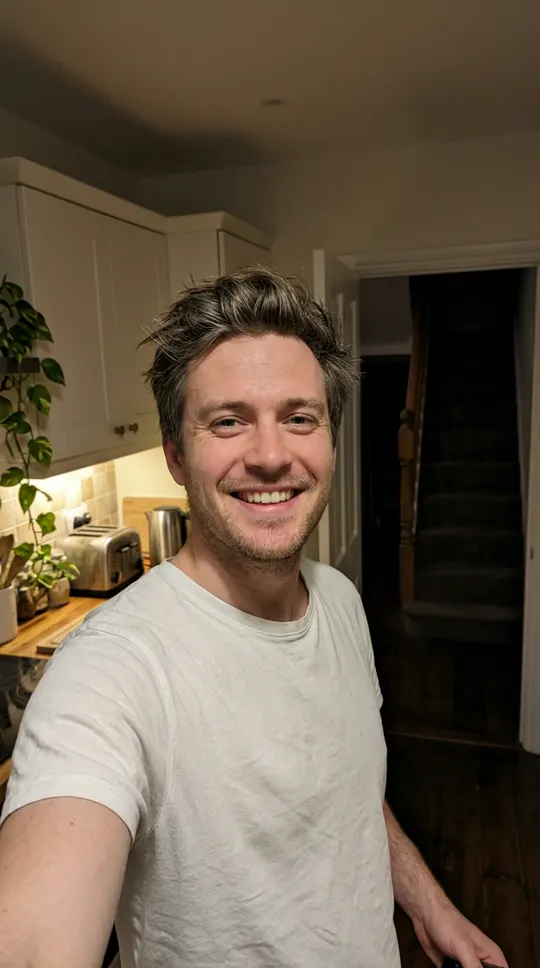
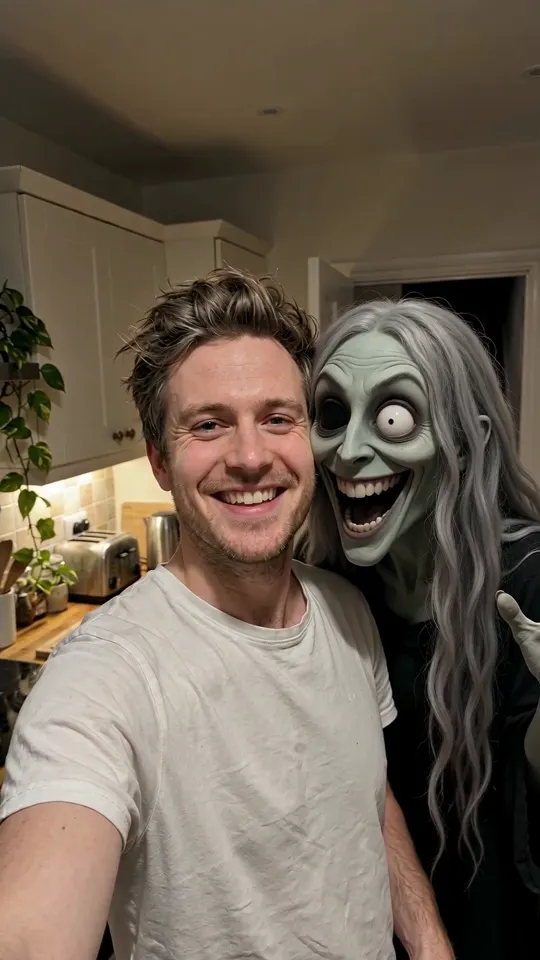
The photo that went in, and the final frame. The room, the light and his face stay as they were; only the ghost is new.
What it costs and how long it takes
The video is 8 seconds, vertical 9:16, at 720p with sound (an eerie hum, a creak and a sting at the end). It takes a few minutes and costs 7 credits; the $9.99 Single pack holds 12 credits, and a render that fails is not charged. It runs in the browser on a phone or a laptop, with no app to install.
To make yours, open the ghost filter prank generator, upload the selfie and press Make. The finished clip downloads as a normal vertical video, so you can send it in any chat.
Which one should you use?
- They are in the room with you: use the TikTok "kuntilanak behind" effect and film their face. Nothing beats a real reaction.
- You already filmed something: use CapCut.
- You want to send it to someone far away, or you have no footage: use RapVideo AI from a selfie, then send it with a straight-faced message like "home alone tonight, finally some peace 🙂".
Whichever you pick, keep it to adults who will laugh about it afterwards. The prank only works once per person, and a ghost that appears behind you is a lot easier to forgive than one aimed at a four-year-old.
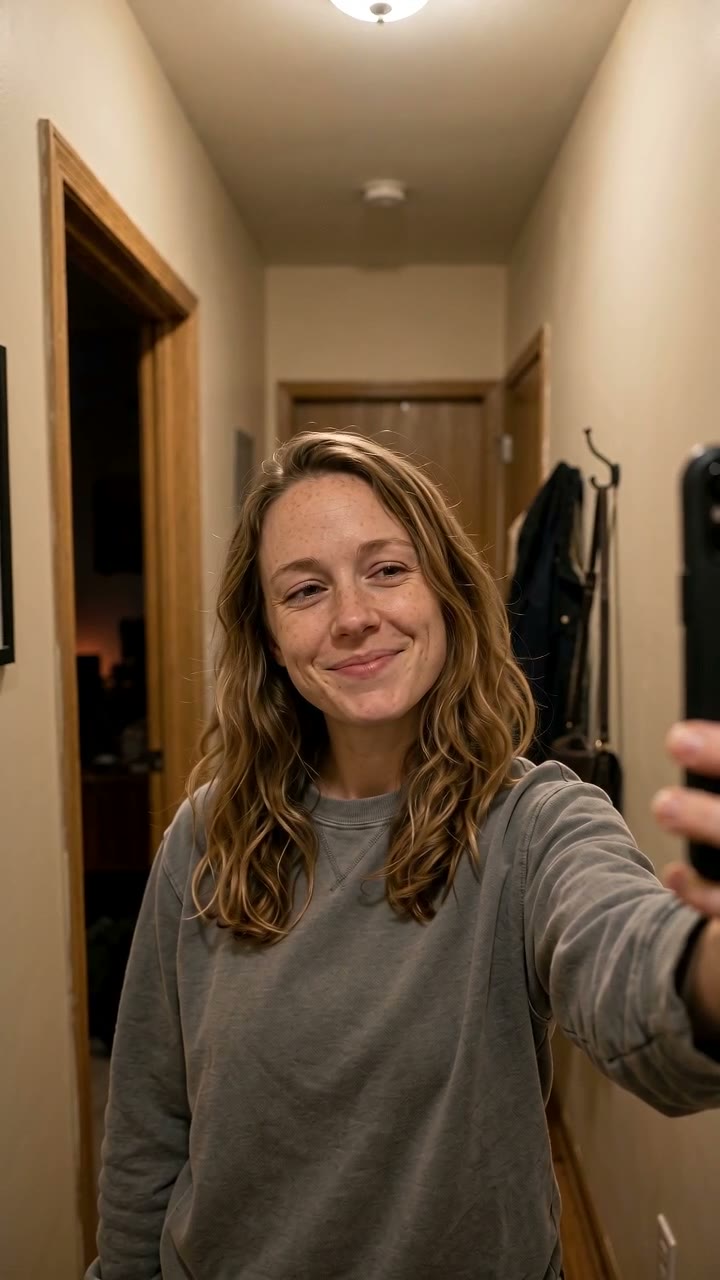
All three made from one photo each. Everyone in them is AI-generated.
After the ghost prank
If this is your first AI video from a photo, the same studio makes the other Halloween trends from one or two selfies: the AI zombie video for a two-person horror short, the AI ghost photoshoot for the sheet-ghost portraits, and the AI pumpkin head photoshoot for the pumpkin-head trend.
RapVideo AI is an independent tool, not affiliated with TikTok, CapCut or the creators of the effects described here.