
Short answer: the GTA 6 loading screen trend is a two-part edit. First a normal photo of someone with the line "Your GTA 6 loading screen", then a hand-painted poster of the same person in the style of the game's loading screens slides up over it: bold outlines, a pink Vice City sunset, palm trees and a sports car. It took off in the week Grand Theft Auto VI came out on 19 November 2026, and almost every post uses the same sound, listed on TikTok as "original sound - Queen of wands". The poster is AI art made from the photo. It is not from the game and not made by Rockstar.
Below is where the trend came from, what the sound is, the other names people search for it, and how the AI poster and video are made.
Where the GTA loading screen look comes from
Grand Theft Auto games have shown painted character art while they load for more than twenty years: one person in the front, thick outlines and flat colour, a city behind them. GTA VI is set in Vice City, the game's version of Miami, so the fan versions are all pink and purple sunsets, palms, neon and fast cars. That is the style people want themselves painted into.
How the trend spread
The idea ran for most of a year before the release-week wave. Every date below is the TikTok upload date; view counts are what the post showed when we checked it on 27 November 2026 and will keep growing.
| Date | What happened | Source |
|---|---|---|
| 5 February 2026 | A selfie that the painted version sweeps over from the left, captioned "GTA loading screen ai filter trend", with its own sound ("original sound - CAPCUTDAILYUK"). About 2.1 million views. | TikTok, @capcutdailyuk |
| 28 September 2026 | "Life as a GTA character": a man in a grey suit by his car, then the poster version slides up, to "original sound - Queen of wands". The earliest post with the release-week edit and sound we could find. About 43,900 views. | TikTok, @m0rgan20 |
| 10 November 2026 | In the run-up to the release, a post with the same edit and sound passes 336,000 views. | TikTok |
| 19 November 2026 | Grand Theft Auto VI comes out on PlayStation 5 and Xbox Series X|S. | Rockstar Games |
What is the song in the GTA 6 loading screen videos?
The release-week posts share one sound, credited on TikTok as "original sound - Queen of wands": the poster rises from the bottom and lands on it. The earlier February version that slides in from the left uses a different one, "original sound - CAPCUTDAILYUK". Neither is music from the game. If you want your post to join the trend's sound page, pick the sound in the app when you post.
Other names for the same thing
People search for this trend in a lot of ways. They all mean the photo-then-poster edit:
- Your GTA 6 loading screen, the GTA 6 loading screen trend
- The GTA filter, the GTA AI filter, the GTA 6 filter, the GTA loading screen AI filter
- Put me in GTA 6, the GTA 6 poster edit, the GTA VI loading screen
Is it the real GTA 6 loading screen?
No. GTA VI has painted loading screens of its own characters, but the trend videos show the poster's owner, painted by AI from their photo. A few quick ways to tell:
- The face is someone you know. The game's art shows the game's characters. A poster of your cousin by a sports car is AI.
- It starts with a real photo. The edit always shows the original picture first, so you can see what the painting was made from.
- Logos are stamped on afterwards. Many posts add the GTA VI wordmark in an editor. The logo is Rockstar's, and its being there doesn't make the art official.
When you post your own, keep the platform's AI label on.
How people make the poster
There are two common routes:
- A chat assistant. Upload a photo to ChatGPT or Gemini and ask for a GTA-style loading-screen illustration of the person. Tutorials for this circulated through 2026. It works, but you have to write and tweak the prompt, and you still have to edit the video yourself.
- A ready-made template. The poster prompt, the framing and the edit are already set, so you only add the photo.
Make yours from one photo
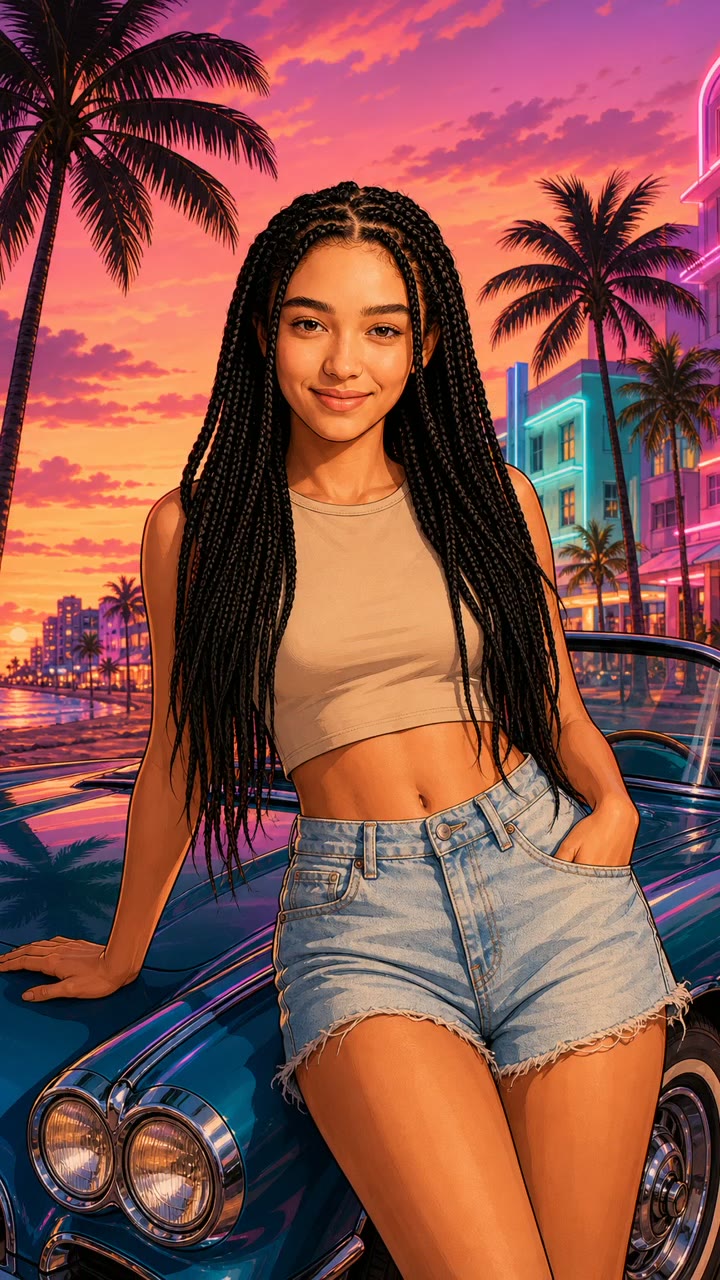
Made from one photo. The person is AI-generated.
GTA 6 Loading Screen AI does both steps in the browser:
- The poster first, free. Add one photo and about a minute later you have the painted 2:3 poster: your face, hair and clothes against the sunset, palms and car. Signed-in users get three a day. It works as a lock screen on its own.
- Then the video, 3 credits. The 8-second vertical edit with the poster rising over your photo and the trend's sound, ready a few seconds after you press the button. A sweep-from-the-left version with the February sound is there too.
- Couples and pets. One photo with two people puts you both on the same poster; a dog or cat photo puts your pet on the hood of the car.
- No logo. The poster carries no game title or wordmark, since those belong to Rockstar.
Open GTA 6 Loading Screen AI, add a photo and press Paint my poster.