
Short answer: both, depending on which clip you saw. The Tesla Roadster demo from 15 October 2026 is real footage: the car drove up a curved ramp, went airborne on thrusters, flipped and landed, and in a second stunt hopped over a row of parked cars. The clips of someone stuck in traffic who presses a button and flies over the jam are AI. Nobody's commute looks like that yet.
Below is what Tesla actually showed, what "Elon Musk's flying car" refers to, the quickest ways to tell a real clip from an AI one, and how the AI version is made.
What Tesla showed on 15 October 2026
On the evening of 15 October 2026 (Pacific time), Tesla unveiled the new Roadster at an event outside Waco, Texas. Two stunts are behind almost every "flying Tesla" clip you have seen since:
- The ramp. The car drives up a tall curved ramp until it is nearly upside down, leaves the lip, rolls back to level in the air using short bursts from cold-gas thrusters, and settles onto the pad in a cloud of vapor. Tesla posted it on X as "Real life, baby", and by 18 October it had passed 95 million views.
- The kickflip. Thrusters lift the moving car over a row of parked Teslas; it turns in the air and lands on the other side. Tesla's "Do a kickflip!" post passed 27 million views in the same three days.
Fact-checkers looked at it straight away. Snopes rated the footage real on 16 October and noted that nobody was driving the car during the stunts. AP and the Washington Post covered the event the next day.
Is the Elon Musk flying car real?
When people search "Elon Musk flying car" they mean this same Roadster. Musk called it a flying car on stage, and the thrusters are why: the car does leave the ground. What it did at the event was hop, flip and land under controlled conditions, without a driver. It did not cruise over a freeway, and Tesla has not shown it doing so on a public road.
So if the video in front of you has a person behind the wheel calmly flying over traffic, it is not the Waco demo.
Where the AI clips come from
From 16 October, a day after the event, TikTok, Reels and X filled with a new kind of clip, often captioned "Day 1 owning a Tesla Roadster". The script is almost always the same:
- A driver is stuck in a dead-still traffic jam, bored.
- They press a glowing button on the dashboard without changing expression.
- Thrusters fire under the car and it lifts off, sometimes with a coffee flying out of the cup holder.
- The car glides low and steady over the line of stopped cars.
- It lands on the empty road past the jam and drives off.
Variations followed fast: a grandma at the wheel overtaking a convertible, a car settling into the last parking spot from above, police bringing a ladder to a car parked mid-air. All of these are generated with AI video models from a photo and a scene description.
How to tell a real clip from an AI one
- Where it happens. The real stunts happened at one event site, at night, on a test pad with a ramp and parked Teslas. A clip set in your city's rush hour is AI.
- Who is in the car. The demo car had no driver. Any shot of someone's face behind the wheel mid-flight is generated.
- What the camera does. The real footage comes from fixed and tracking cameras at the event. A seamless cut from the dashboard button to a drone shot to the driver's grin is how AI clips are built.
- The car itself. Many AI clips use a generic white sports car with no badge, or a car that changes shape slightly between shots.
- The source. Tesla posted its footage on its own channels. If you can't trace a clip back there or to a news report about the event, assume it's AI.
When you post an AI version yourself, keep the platform's AI label on. The joke works better when nobody mistakes it for news.
Make the AI version with your own photo
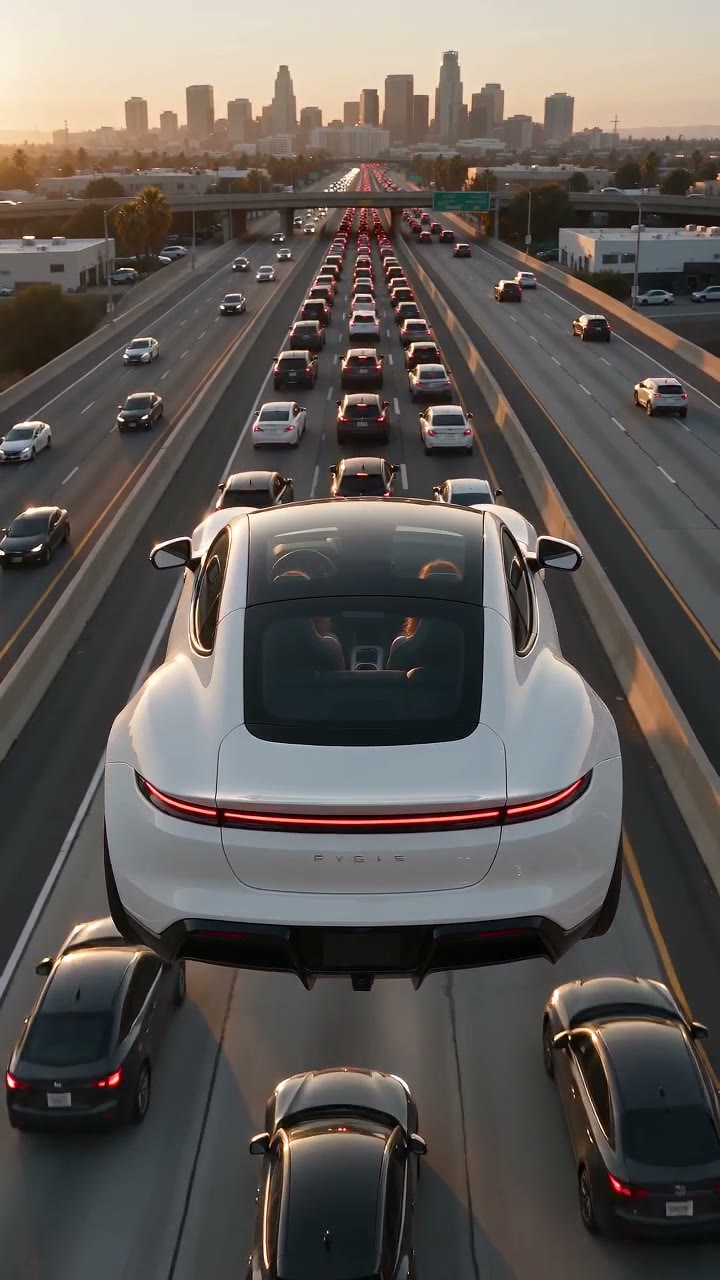
Made from two photos: she drives, her best friend rides along. Both people are AI-generated.
If you want to be the bored driver in that clip, Flying Car AI makes it from a photo. The scene is already set: the jam, the button, the thrusters, the glide over the traffic and the landing, 15 seconds, vertical, with sound effects.
- Bring a passenger. Add a second photo and that person rides shotgun. While you stay deadpan, they grab the seat and scream all the way over the traffic. Partners and kids are the favourites.
- Or put your dog at the wheel. A dog photo works as the driver: paws on the wheel, a paw on the button, completely unbothered.
- No Tesla, no celebrity. The car is a generic white sports car with no badge, and the video uses only the faces you upload. Nobody gets Elon Musk's face.
One video is 10 credits; a render that fails is never charged. Open Flying Car AI, add your photo and press Make.