
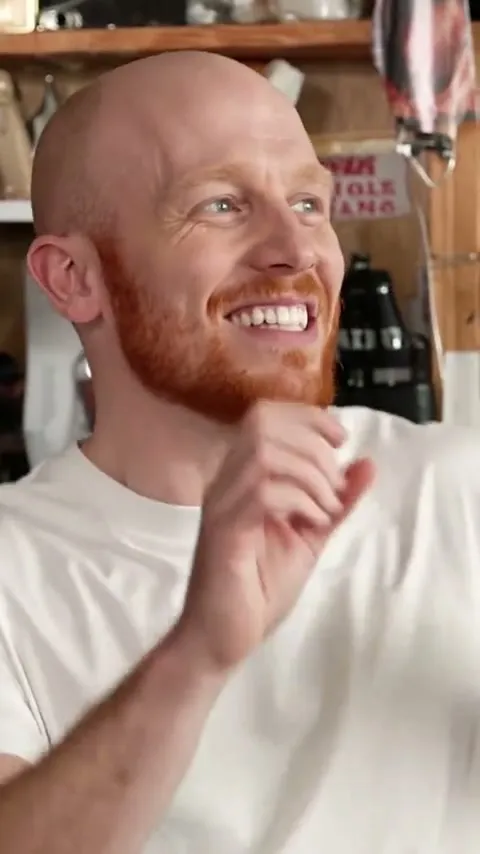
Our sample: five photos, one per spot in the band. The people are AI-generated.
A Tiny Desk AI video puts you and up to four friends into the desk concert everyone is remaking: a cramped office lined with records, a red keyboard up front, two backing singers clapping behind, a lead singer who cannot stop laughing, and a sax solo. You add one photo per spot, and 16 seconds later the band is yours, with the Outstanding hook on top.
This guide covers who to put in which spot (they are not on screen equally), the photos that hold up in the close-ups, and how the Tiny Desk AI Video generator works from upload to download.
Where the joke comes from
Tiny Desk is NPR's office concert series, and the sound attached to the meme is Charlie Wilson's Tiny Desk performance of Outstanding: pure, untroubled joy at the mic. In October 2026, after a weekend of college football upsets, an AI parody on TikTok dropped the losing coaches into a beaming desk session, and The Athletic tracked down its creator.
The format stuck because the contrast does the work. Something went wrong, and here is a band celebrating it anyway. Swap in your own people and your own bad news, and you have the joke.
The four shots, and who is in each
The clip always runs the same way. What changes is which of your five spots the camera is on.
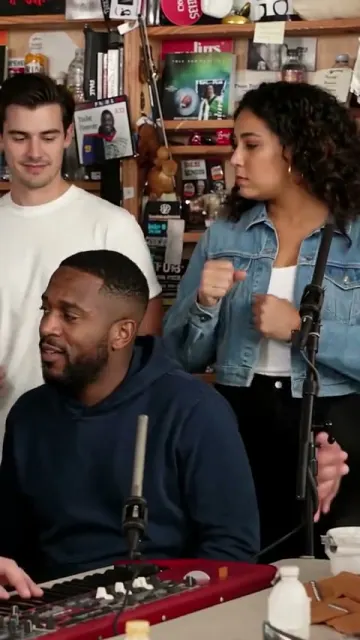
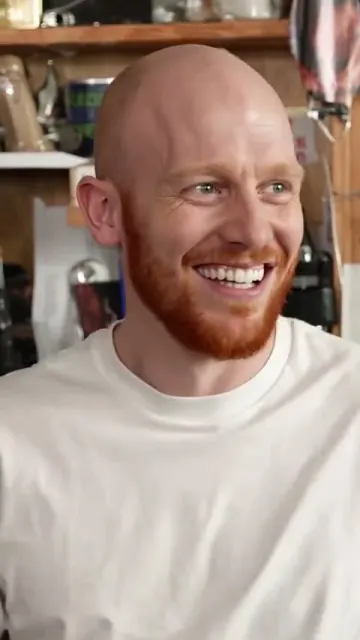
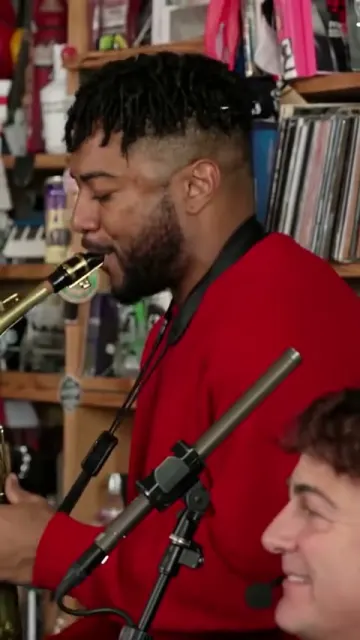
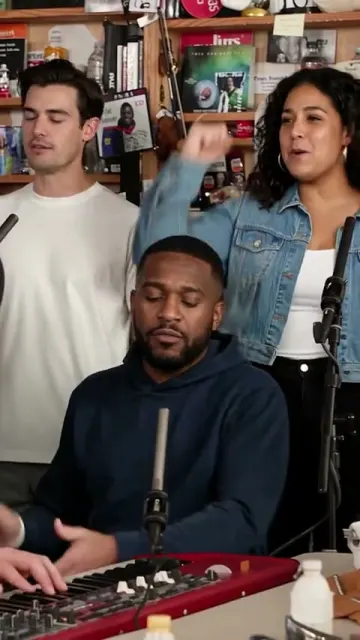
Left to right: the band, the laugh, the sax solo, the band again.
- The band (0–4 s). Keys sits in front, the two backing singers sway and clap behind.
- The laugh (4–10 s). The longest single shot: lead vocals in close-up, grinning, head thrown back.
- The sax solo (10–14 s). Sax steps in, with the keys player's face at the bottom of the frame.
- The band again (14–16 s). Everyone but lead vocals, singing the hook out.
That gives a simple casting rule:
| Spot | On screen | Give it to |
|---|---|---|
| Lead vocals | The 6-second laughing close-up, nowhere else | The star: the birthday person, the coach, the one the caption is about |
| Keys | All four shots, in front or at the edge | The friend who wants to be in every frame |
| Sax | The solo | Whoever earns a solo |
| Back left / back right | The opening and the closing band shots | Everyone else in the group chat |
How to make it, step by step
You need between one and five photos and a browser. There is no prompt to write and nothing to edit.
- Open the Tiny Desk AI Video generator. The band effect is already selected.
- Tap a spot and add a photo. The spots are named: Lead vocals, Sax, Keys, Back left, Back right. One photo plays one spot.
- Fill as many spots as you want. One spot or all five costs the same. A spot you leave empty keeps the performer from our band, so a solo video still looks like a full band.
- Make the video. The settings are fixed: 16 seconds, vertical 9:16, 720p, with the song.
- Download the MP4. It is ready for TikTok, Reels or Shorts. Turn on the platform's AI-generated label when you post.
It costs 12 credits, which is exactly one $9.99 Single pack. A render that fails is never charged.
Photos that hold up in the close-ups
Every spot gets a clear look at some point, and lead vocals gets six seconds of face filling the screen.
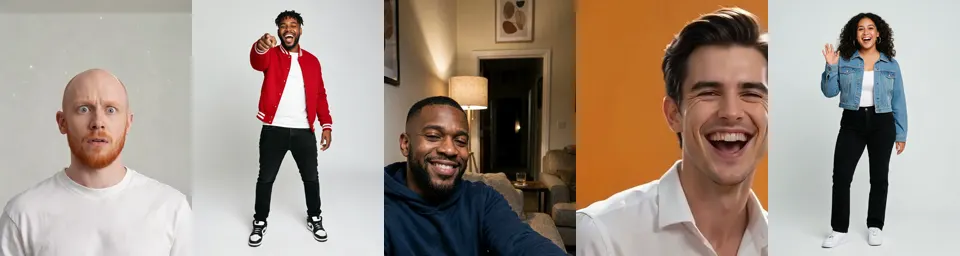
The five photos our sample band was cast from: lead, sax, keys, back left, back right.
- Face clear, eyes visible. Even light, no sunglasses, no heavy beauty filter. Two of the five photos above are full-length and still came through, because the faces are sharp and turned to the camera.
- One adult per photo. No group shots and no children. Crop a group photo down to one person before you upload it.
- The expression does not matter. The clip supplies the laugh. A straight-faced photo comes back grinning, as the lead below shows.
- Your face, the band's outfits. Face, hair and skin tone go into the spot; the clothes, moves and instruments stay as in the clip.
- Only people who said yes. Especially the lead, who is the joke of the video.
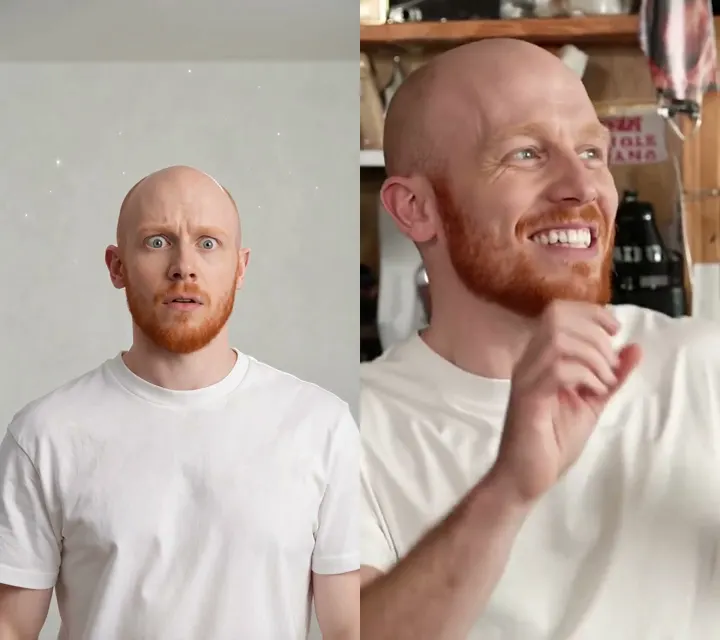
Left, the photo: wide-eyed, not smiling. Right, the same face nine seconds into the clip.
Another band: dogs
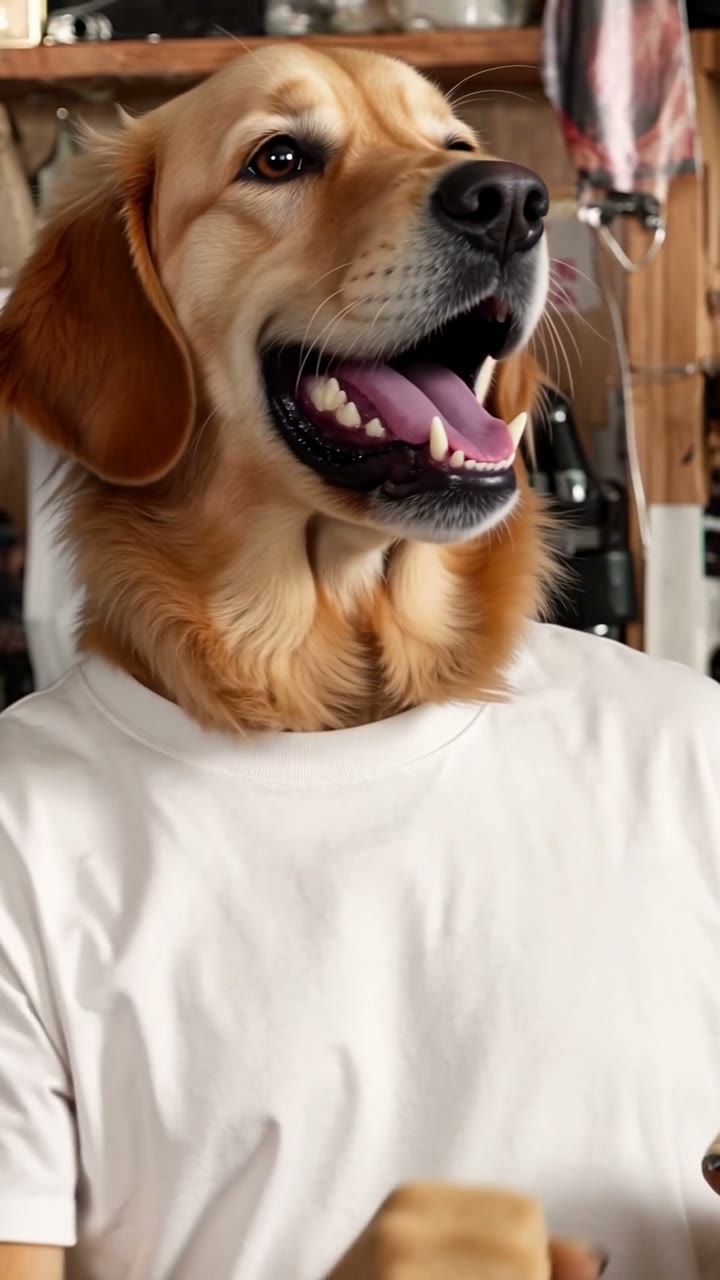
Same cut, same song, five dogs in the spots: a golden retriever on lead, a corgi on sax, a shiba on keys. The Tiny Desk Pets AI page takes 1 to 5 photos of pets or people, mixed any way you like. It plays muted while on screen; tap it for sound.
Captions that make it land
The cut never changes, so the caption carries the story. A few that fit the band:
- The score. "Us after losing 41–3", with your fantasy league or five-a-side team in the spots.
- The office. "When the meeting could have been an email": coworkers in the band, the manager on lead (with their OK).
- The birthday. The birthday person on lead, the family on keys, sax and backing vocals.
- The deadline. "Submitted it at 11:59", the whole project group in the band.
More desk-concert-sized trends
If the band is your first AI video from photos, the same studio does the other music trends people are remaking: On the Radar AI for the green-booth 679 freestyle, Bulin 47 AI for the street speaker freestyle, and Talk Dirty Dance AI for the concert dance break.
RapVideo AI is an independent tool, not affiliated with NPR, Tiny Desk or Charlie Wilson. The band in our samples is made of AI-generated people.