
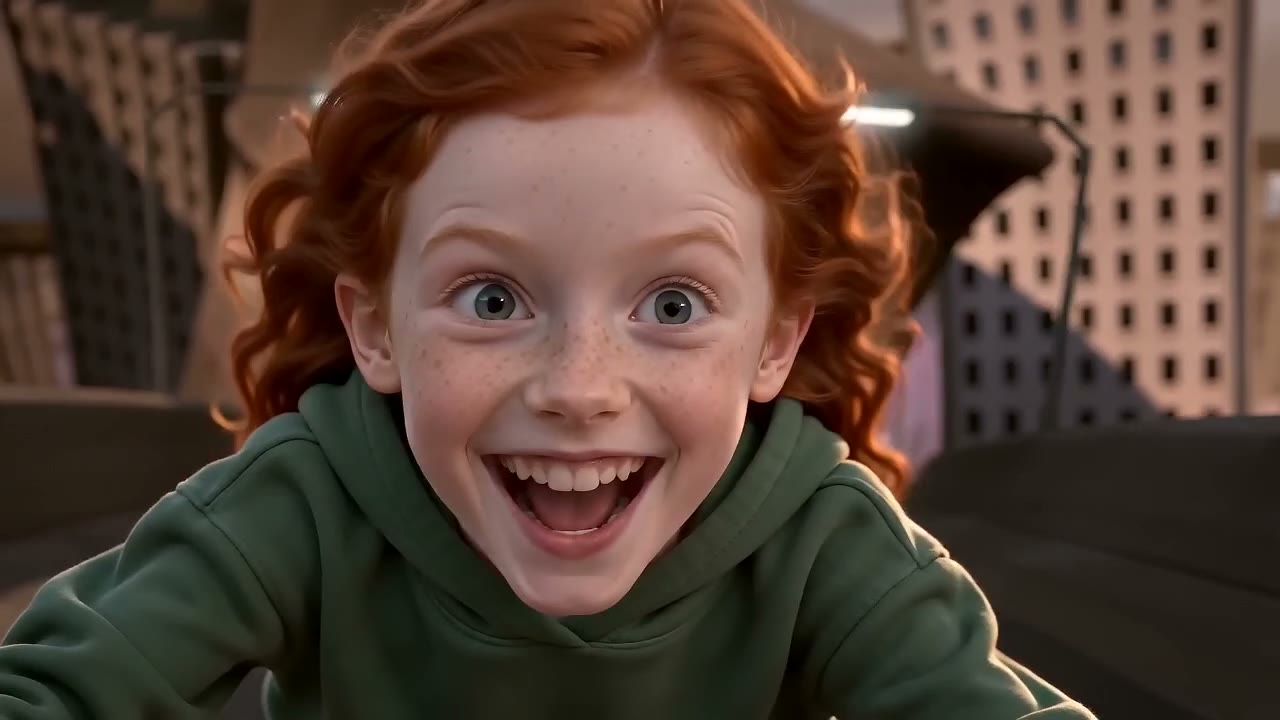
Two photos: the daughter rides the invisible motorbike, the dad chases. Both people are AI-generated.
You have seen the clip by now: someone crouched over nothing, fists gripping handlebars that don't exist, flying down a cartoon highway with the Axel F beat going "ring ding ding". It is the chase from Crazy Frog's 2005 video with a real person in the frog's place, and since early October 2026 TikTok has been full of them. Crazy Frog AI makes one from your photo. Below: which photo does what, what the chase needs from it, and a few things we learned making the samples.
The clip everyone is remaking
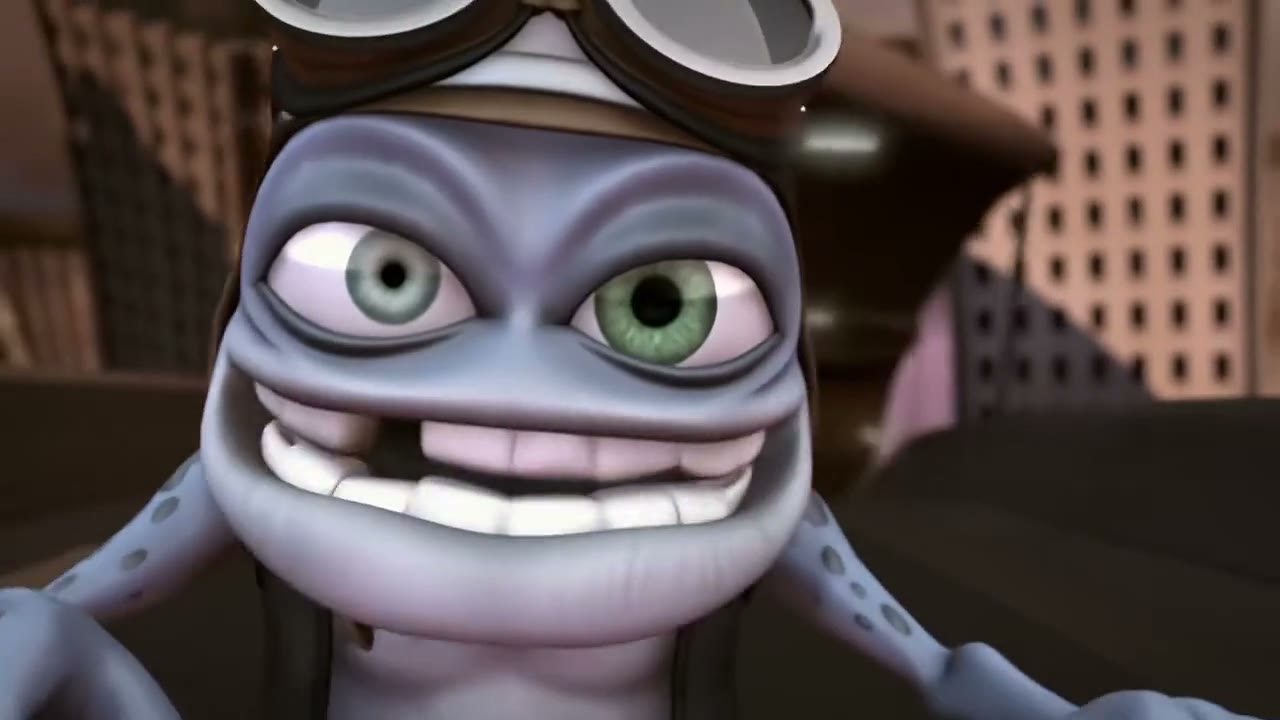
The 15 seconds of the 2005 "Axel F" video the effect follows, shot for shot.
Crazy Frog is the blue-grey cartoon frog whose cover of the Beverly Hills Cop theme became one of the most-watched videos on YouTube. The AI trend takes this one stretch of it, the chase, and swaps the frog for a person. The first one was posted on TikTok by @tonnatusha on 7 October 2026 and passed 200,000 views in ten days; within a week there were footballer, politician and princess-on-a-bicycle versions, plus a wave of CapCut tutorials under #crazyfrogtrend. The two that started it are on the Crazy Frog AI page, under "AI versions".
One rider, one chaser
The original has two characters, and the second one is the part most Crazy Frog AI generators leave to a stranger. Here it is yours if you want it.
- The rider is photo 1. That's the person on the motorbike that isn't there: the crouch, the fists, the grin into the wind. The video opens on their face and stays with them for most of the 15 seconds.
- The chaser is photo 2, optional. In the video a red robot on a bike hunts the frog. Give a second photo and that person rides the bike instead, in a red biker jacket, with their own close shot. No second photo, and an extra does it.
That's where the family version comes from: a kid out front, a parent on the bike behind, or the other way round. Friends, couples and pets all work the same way, and a pet stays a real animal.
The four shots, and what each wants
| Time | On screen | From your photo |
|---|---|---|
| 0–9 s | Extreme close-up of the rider's face, then the camera pulls back and tracks alongside as they fly past the orange chevron signs | A sharp, front-facing face. This is the longest shot and it starts a few centimetres from your nose |
| 9–10 s | The chaser, close, hunched over the handlebars | Photo 2 if you added one: eyes visible, no helmet or hat covering the face |
| 10–14 s | Rider and chaser racing together, towers streaking past | Nothing extra; the crouch and the fists come from the original |
| 14–15 s | From behind, the rider speeding off toward the skyline | Nothing; this is where the beat drops |
Nobody turns into a frog. The frog itself never appears; what you get is you, in your own clothes, doing what the frog does.
Picking the rider's photo
- Show the whole face. No sunglasses, no cap pulled low, no mask. Shot one is a face filling the frame, and the model builds it from what it can see in the photo. If the eyes are hidden you get someone else's eyes.
- Wear what you'd ride in. Unlike most of our trend effects, the rider keeps the outfit from the photo. A hoodie, a jacket or a T-shirt all read well at speed; a formal shirt looks odd on an invisible motorbike.
- A big smile beats a neutral face. The rider is grinning like a maniac for nine seconds. A photo that already smiles lands closer to the person than a passport-style shot.
- Head and shoulders is enough. The crouch is drawn from the original; the photo only needs the face and the top you're wearing.
Picking the chaser's photo
Same rules, with one difference: the chaser's face is seen for about a second, in one shot, and the body is hunched over handlebars. A clear face matters more than the outfit, because the outfit becomes the red jacket anyway. Use two separate photos, one per person. One photo of both of you can't be split into rider and chaser, so the page only takes separate photos.
Make it, then pick the frame
Open Crazy Frog AI. The effect is already selected: 15 seconds, landscape 16:9 like the video, with the Axel F sound. Add the rider's photo, the chaser's if you have one, and press Make. It takes a few minutes; a render that fails is never charged.
Landscape is the default because that's what the original and the viral versions are: a wide highway with the city sliding past. If you'd rather post it full-screen on TikTok, switch to 9:16 before you press Make and the chase is reframed around the rider. Both are the same price.
Post it
Download the MP4 and post it as it is. The sound is already on the video, so there is nothing to add in TikTok's editor, though you can mute it and use the trend sound from the app if you prefer. Captions we keep seeing under these:
- "ring ding ding ding 🏍️"
- "no bike, no problem"
- "my daughter got away, I'm still chasing"
- "POV: you're late and the bike is imaginary"
Tags: #crazyfrogtrend #crazyfrogai #aivideo.
Ours
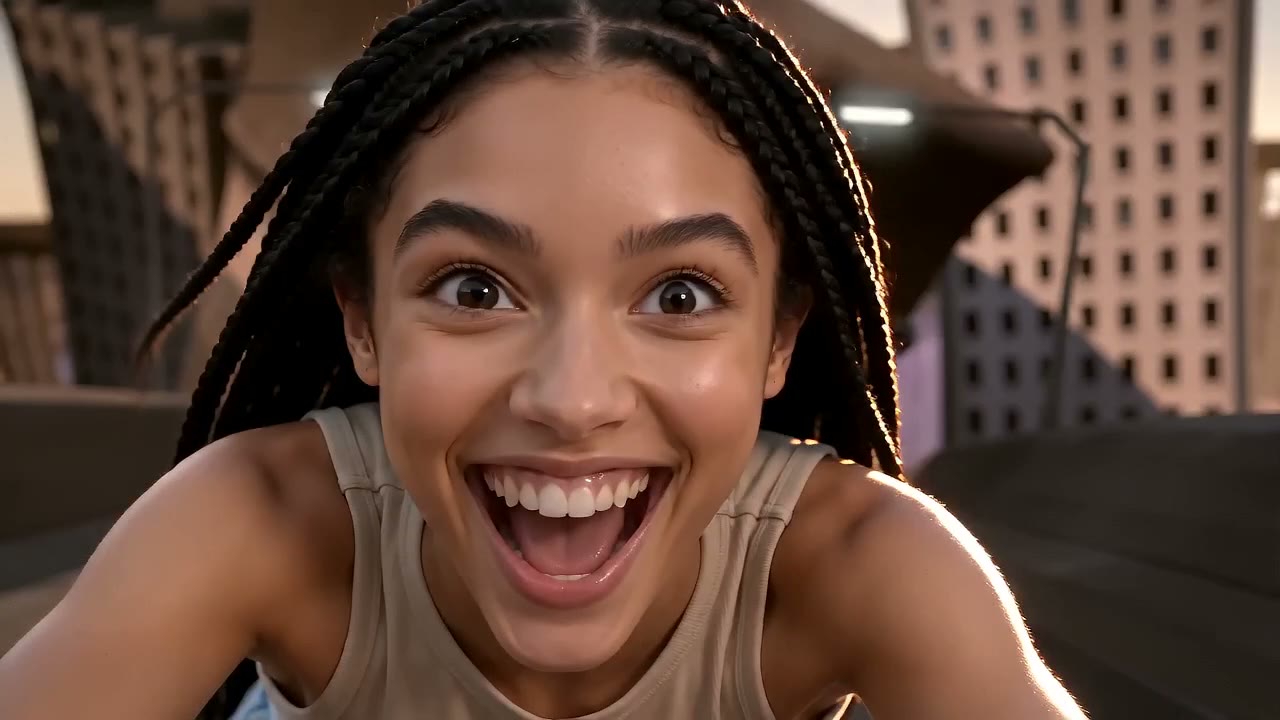
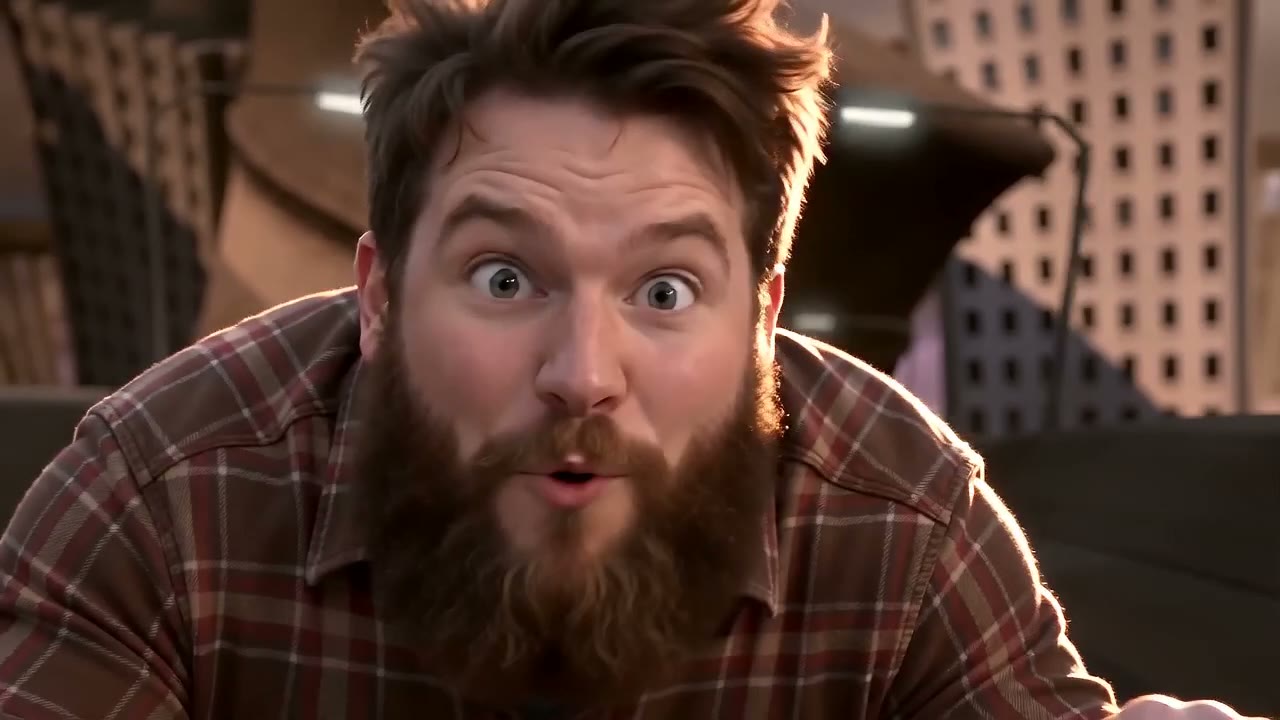
What we learned making these
- The city stays a cartoon, the people don't. The effect follows the original video's shots, colours and signs, so the highway looks like the one in the clip while the rider looks like a photo. That contrast is what the viral versions have, and it is why the rider's photo matters more than anything else you can choose.
- Hands matter. The fists out front are the whole joke. Photos where the hands are in pockets or behind the back still work, because the pose comes from the original, but a photo taken from the waist up gives the model a better idea of the arms.
- Kids come out well. The close-up shot is kind to a child's face, and the chase reads as a game rather than a stunt. A parent's consent is required for anyone under 18.
Where the 15 seconds come from
Crazy Frog's "Axel F" video is just under three minutes. The stretch everyone remakes starts on the frog's close-up at about 35 seconds, runs past the chevron signs, cuts to the robot on the bike and ends with the frog racing away, 15 seconds in all. The effect uses that window and the matching 15 seconds of the recording, so your video sounds like the ones already on your feed.
Price
10 credits at 720p, 7 at 480p. A $9.99 Single covers one video; packs never expire. Full table on pricing.
Before you upload
RapVideo AI is a fan-made tool, not affiliated with Crazy Frog, Kaktus Film, Jamster or the owners of "Axel F". Upload photos of yourself and of people who agreed to be in the video. No celebrities, and nobody under 18 without a parent's consent.
FAQ
Do I need to write a prompt?
No. Everything that changes between videos comes from the photos. The shots, the camera and the timing are fixed to the original.
Can my dog ride the invisible motorbike?
Yes. Upload the pet's photo as the rider and it crouches over nothing with its paws out, as a real animal with its own fur. A pet can be the chaser as well.
Is the song included?
Yes. The 15 seconds of Axel F that match the chase are on the MP4. Mute it when you post if you want a different sound.
Vertical or landscape?
Landscape 16:9 by default, like the video. Vertical 9:16 is one tap away in the studio before you render, at the same price.
Make yours
One clear photo, no sunglasses, and Crazy Frog AI does the rest. If the person you want to chase is a friend, bring their photo too. For another trend from the same photos, try Bulin 47 AI or Hotel Lobby AI.