
I'm So Sorry I Lied AI
The TikTok carousel where "when I was little I was a princess for Halloween" turns, one apology at a time, into the real photo. Add that real photo, say what you'll claim you were, and get the three lies as pictures that look like the same snapshot. Free, three pictures in about 90 seconds, then you post the four slides with the trend's sound.
Make the lie
Add the real photo (the one you'll say sorry for), tell us what you're going to claim you were, and get three pictures that look like the same photo with the lie stacked up a step at a time.
Say it plainly: a princess, a vampire, a black cat. Film and TV characters get swapped for a generic version.
Free: 2 ladders a day, just sign in
🎃Halloween Costume
1–2 people · 5s
1Add your photo
👤 Halloween Costume: 1 photo is enough
One photo is enough: a solo shot, or one of the two of you. Add a second photo to put two people in the clip.
2Pick quality & length
This video: 5 credits · 10 songs a month for $29.90, or 120 a year for $299
By creating, you confirm you have permission to use every photo. Terms of Service
Free, 2 ladders a day after signing in · The video step is paid in credits · Failed renders are never charged
The four slides, in the order you post them
Made here from one fictional AI "childhood photo": a six-year-old in a pink snowsuit and a paper crown, claiming she was a princess. Slide 1 is the full lie; each slide takes one lie back; slide 4 is the untouched photo. The framing never moves, which is what makes the reveal land.
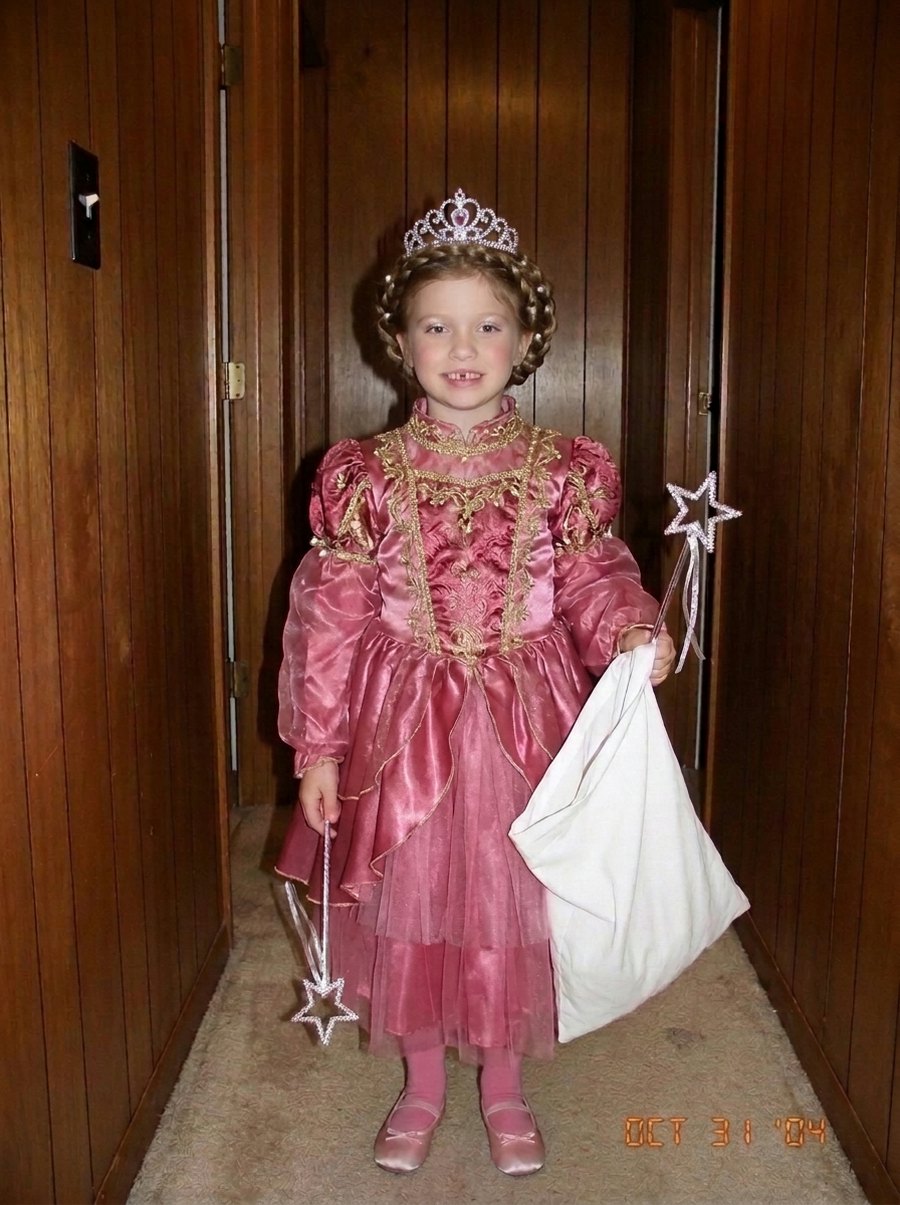
1 · "When I was little I was a princess for Halloween"
The big lie: proper gown, styled hair, a little makeup. Same hallway, same pose, same kid.
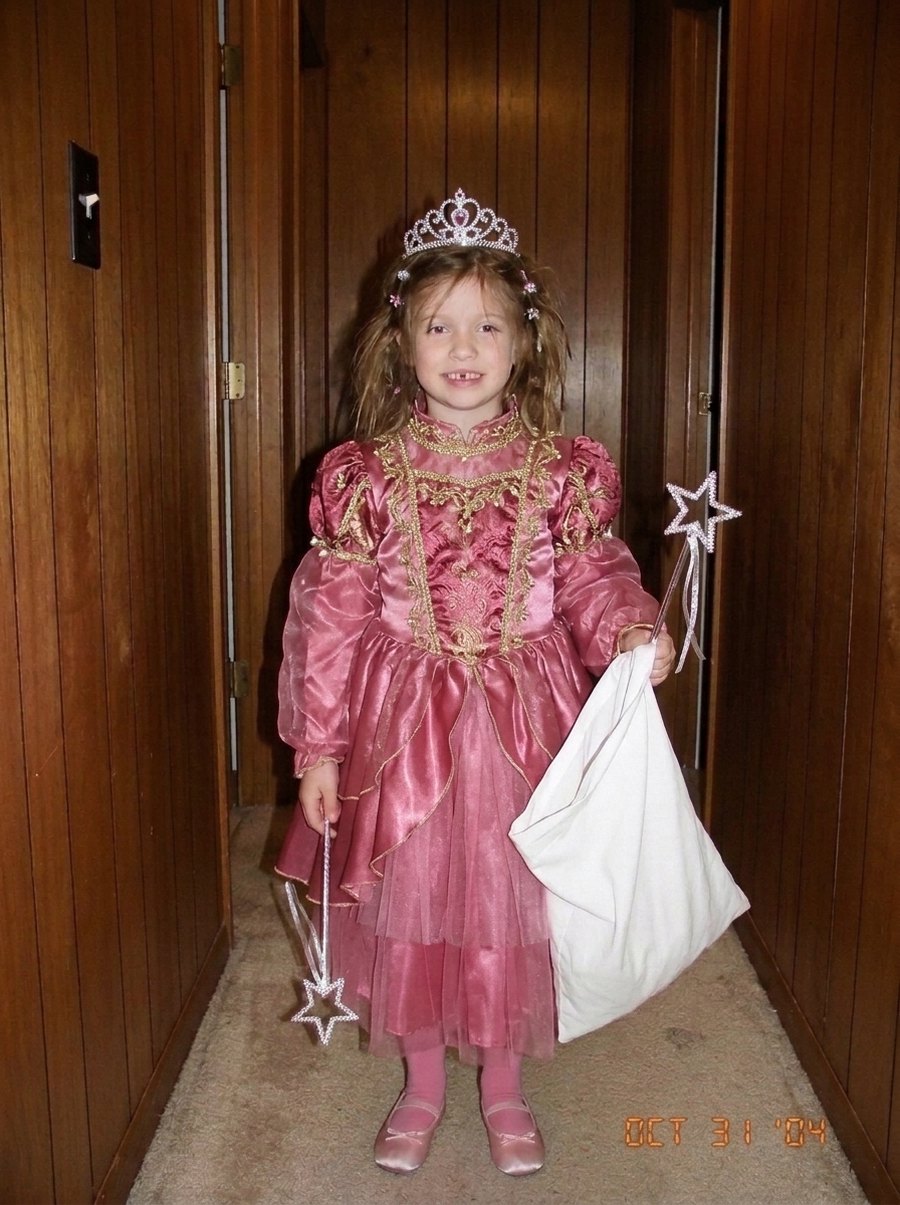
2 · "ok sorry, the hair wasn't like that"
One lie back: the real hair is back, the gown stays.
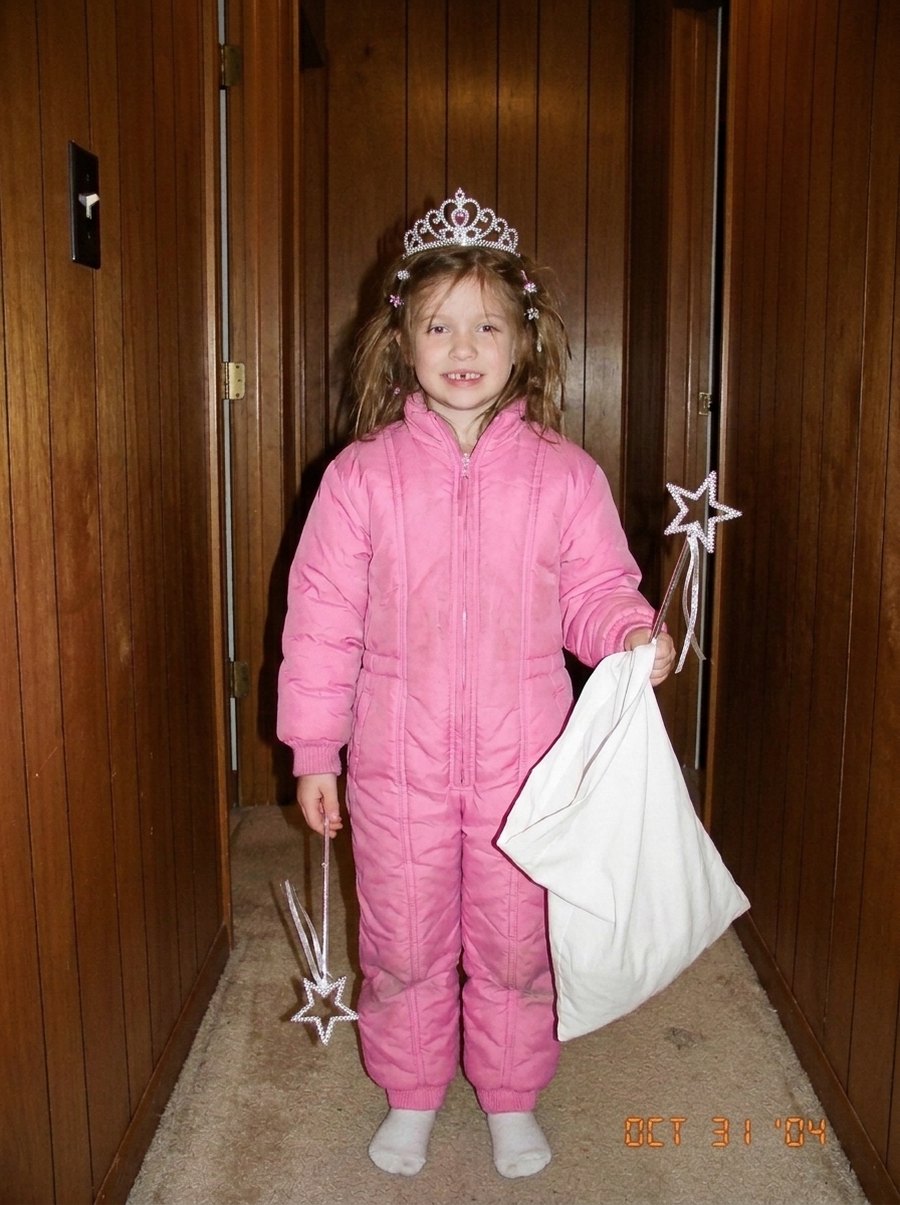
3 · "ok sorry, the costume wasn't that good either"
Almost honest: the real outfit, just tidied up with a crown that looks bought.
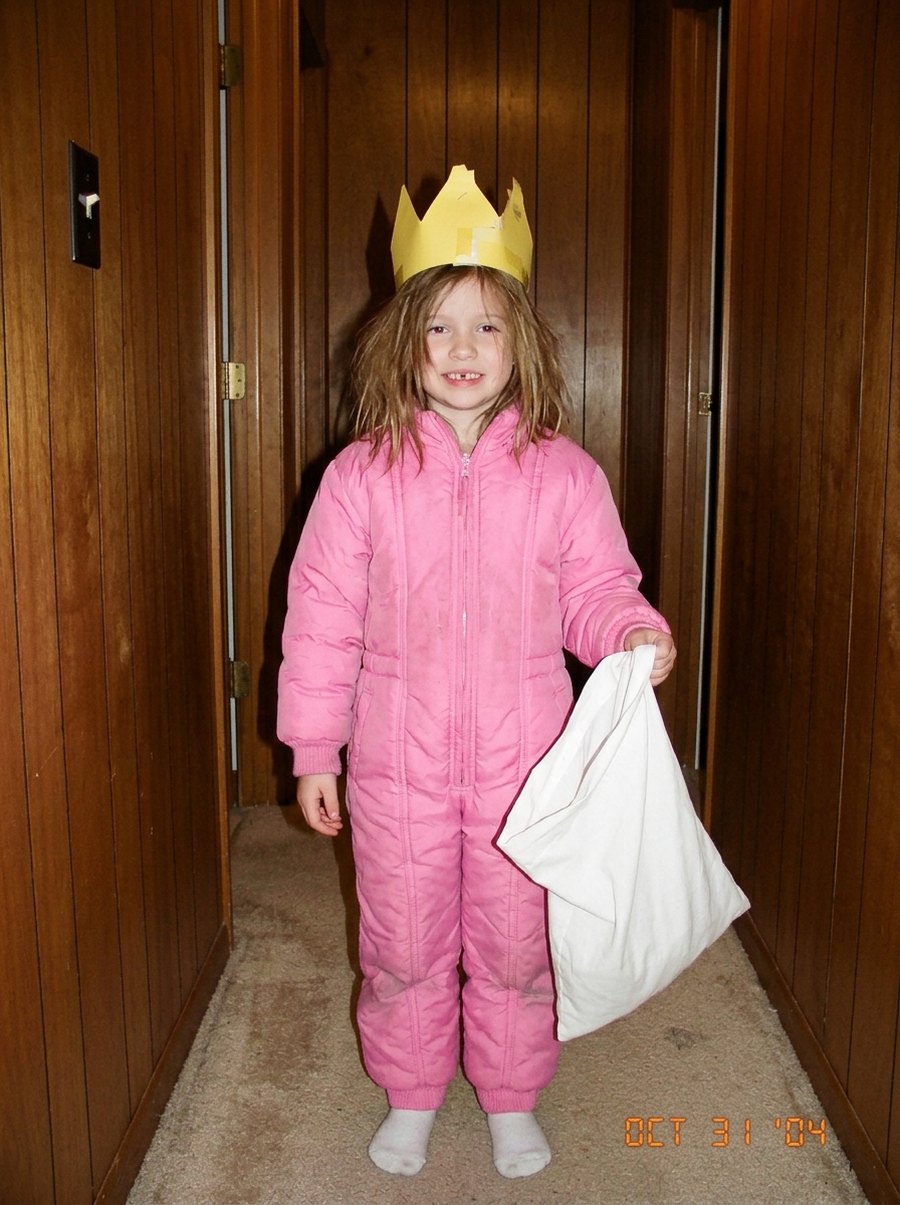
4 · "I'm so sorry"
The truth. The photo you started with, exactly as it was.
What is the "I'm so sorry I lied" Halloween costume trend?
The format. A TikTok photo carousel of three to five slides. Slide one is a childhood Halloween photo that looks a little too good, captioned "When I was little I was a butterfly for Halloween". Each next slide takes one lie back: "ok sorry, it wasn't pink", "ok sorry, it was more of a DIY kind of costume". The last slide says "I'm so sorry" over the real photo: the cardboard box, the snowsuit with a wig, the face paint that went wrong. The sound is the same on nearly every post, an original sound by the account secret that was on about 154,000 videos by 20 October 2026.
Why it works. The lies are edits of the real photo, not different photos. The hallway, the pose and the kid never change; only the costume gets worse each slide. Because the frame holds still, your eye reads every slide as the same picture, and the truth lands like a punchline.
Who posts it. Adults, with their own childhood photos (or a sibling's, with permission), usually prints from the 2000s shot with a flash. The biggest post we saw, by @chelsealmarie on 19 October 2026, went from a pink butterfly to a DIY black one with face paint and passed 21 million views in a day. It is a branch of a wider "I'm so sorry I lied" format that has been running since the summer with pets, selfies and Spanish "mentira… perdón" versions.
What this page does. The hard part is making three edits that keep the framing and only change one thing each. This tool does it in order from the truth: a tidied costume, then a proper costume, then the hair and makeup. You get the four slides with their captions. You add the sound in TikTok.
How to do the "I'm so sorry I lied" trend
Four steps from your phone. No prompt, no editing app for the pictures themselves.
- 1
Find the real photo
Your own childhood Halloween photo, the worse the better. A phone picture of the print works: lay it flat in daylight and shoot from straight above.
- 2
Say what you'll claim you were
"a princess", "a butterfly", "a black cat". Keep it generic: film and TV characters are swapped for a generic version so the pictures stay yours to post.
- 3
Tap Make the lie
Three pictures come back one after another, about 30 seconds each: tidied costume, proper costume, then hair and makeup. Sign in first; two ladders a day are free.
- 4
Post the carousel
Download the three pictures, open TikTok, choose photo mode, add them in the order shown with your real photo last, paste the captions, add the trend's sound and post.
The rules of the joke
The edits are built so the reveal works and the pictures are safe to post.
Same frame, every slide
Background, camera angle, pose and the flash look are kept. Each edit changes one thing, and the next edit starts from the previous one.
Your face stays your face
No slimming, no smoothing, no age change. Slide 1 adds hair and a little costume makeup, which is as far as it goes.
Generic costumes only
No logos and no characters from films, TV or games. "Elsa" becomes an ice princess, "Batman" a bat-themed hero. The joke is the reveal, not the brand.
The truth is untouched
Your original photo is slide 4 exactly as you uploaded it. We never edit the real one.
The sound is yours to add
We don't include the trend's audio. Add it in TikTok when you post, from the sound's page or any video that uses it.
Your own photos
Your childhood photo, or a sibling's or friend's with their OK. Please don't run other people's children through it.
Tips for a better lie
Full body if you can
A head-to-toe photo gives the costume edits room to work. A tight face shot leaves little to change.
The worse the original, the better
Snowsuits, cardboard, a wig that slipped. The bigger the gap between slide 1 and slide 4, the harder the truth lands.
Claim the costume you nearly were
If you were a cat in a tracksuit, claim "a black cat". The edits build on what is there, so the slides stay believable.
Run it twice
Every ladder is a fresh roll. If a slide looks off, make another one and keep the better set.
Pets work too
The pet version of the trend is big: "this is my chihuahua, princess" and three slides later it's the real dog in a yarn mane.
It works on the dog too
The pet version of the trend ("this is my chihuahua, princess") runs through the same three steps. Made here from one fictional snapshot of a scruffy dog in a yarn lion mane, claiming he was a lion.
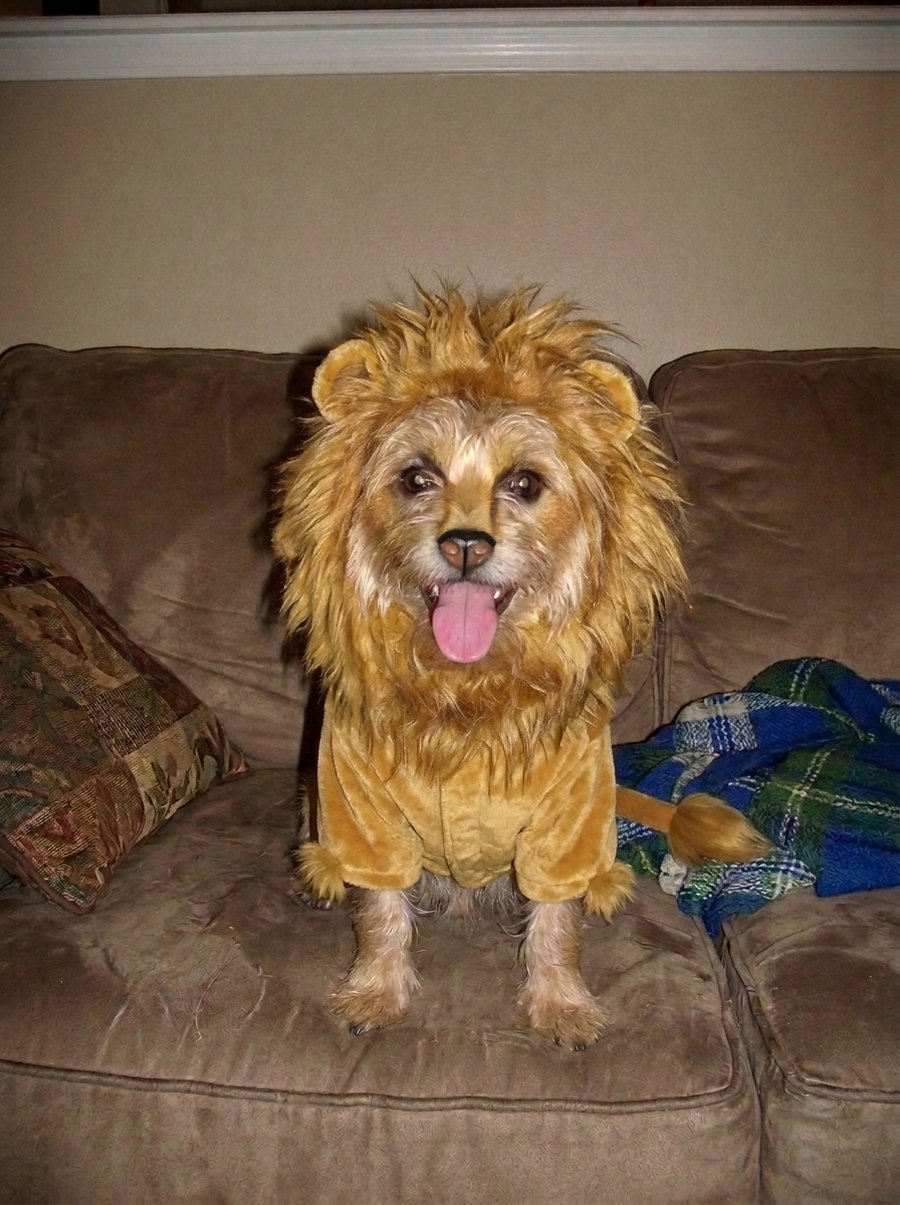
1 · "When he was little he was a lion for Halloween"
The big lie: a full lion suit with a mane that looks bought.
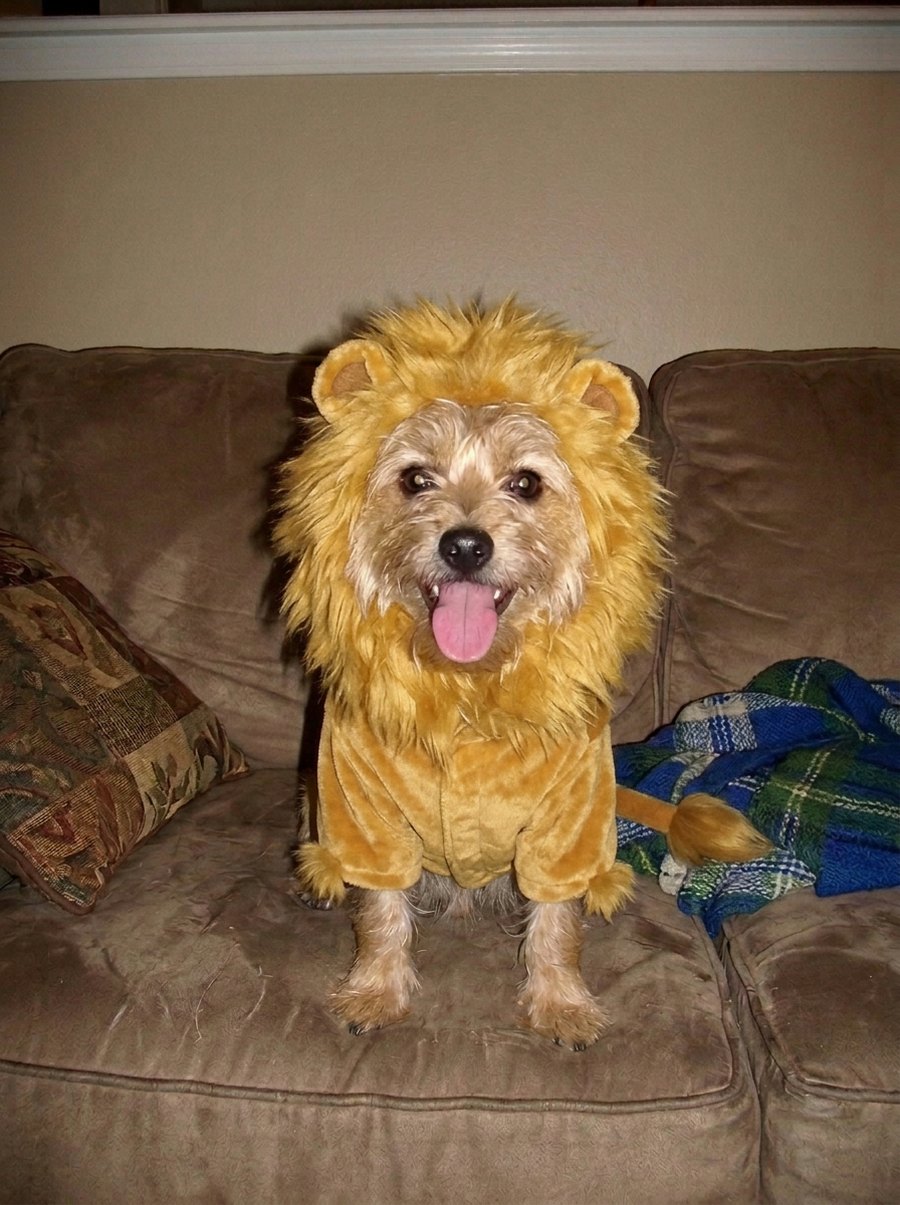
2 · "ok sorry, the mane wasn't that big"
One lie back: the suit stays, the mane is more modest.
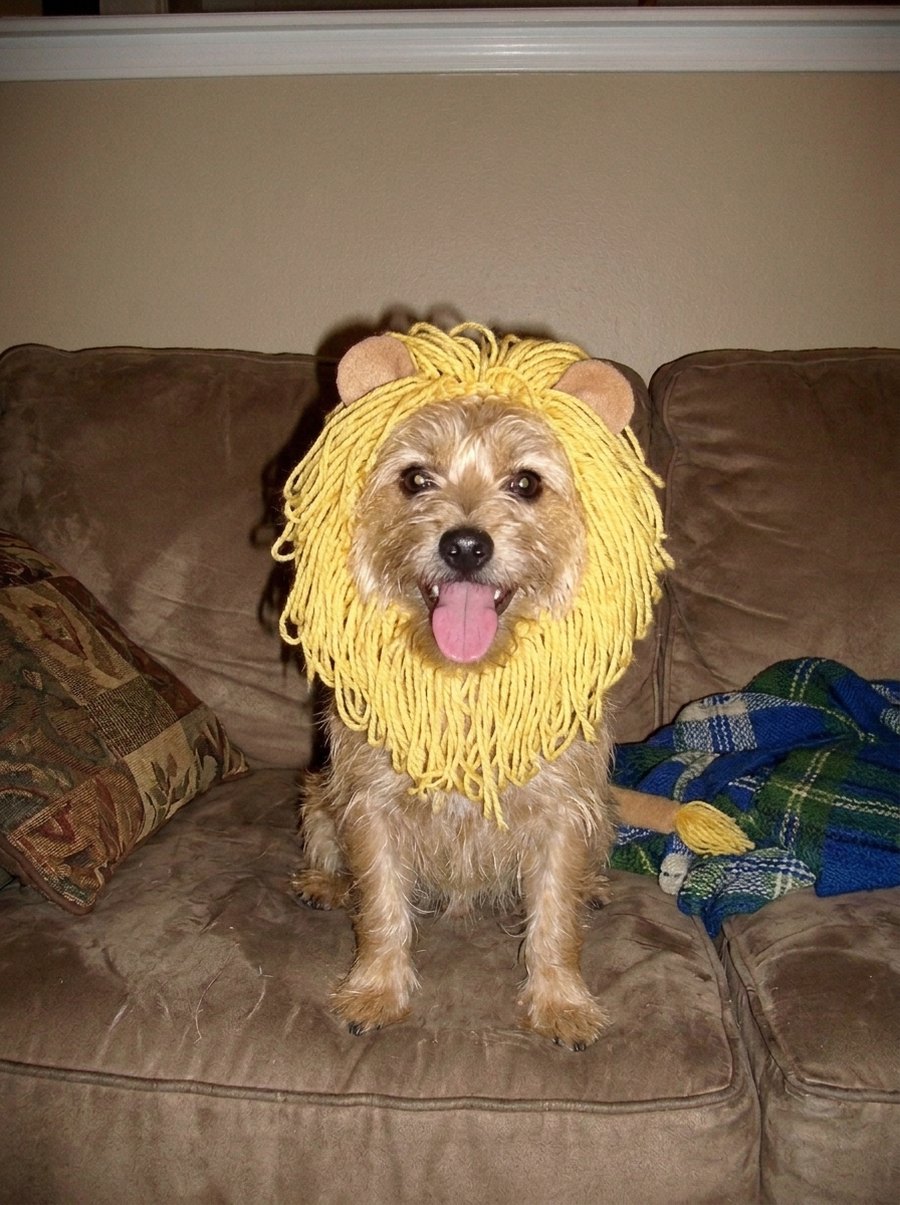
3 · "ok sorry, there was no suit either"
Almost honest: the real yarn mane, tidied, with ears.
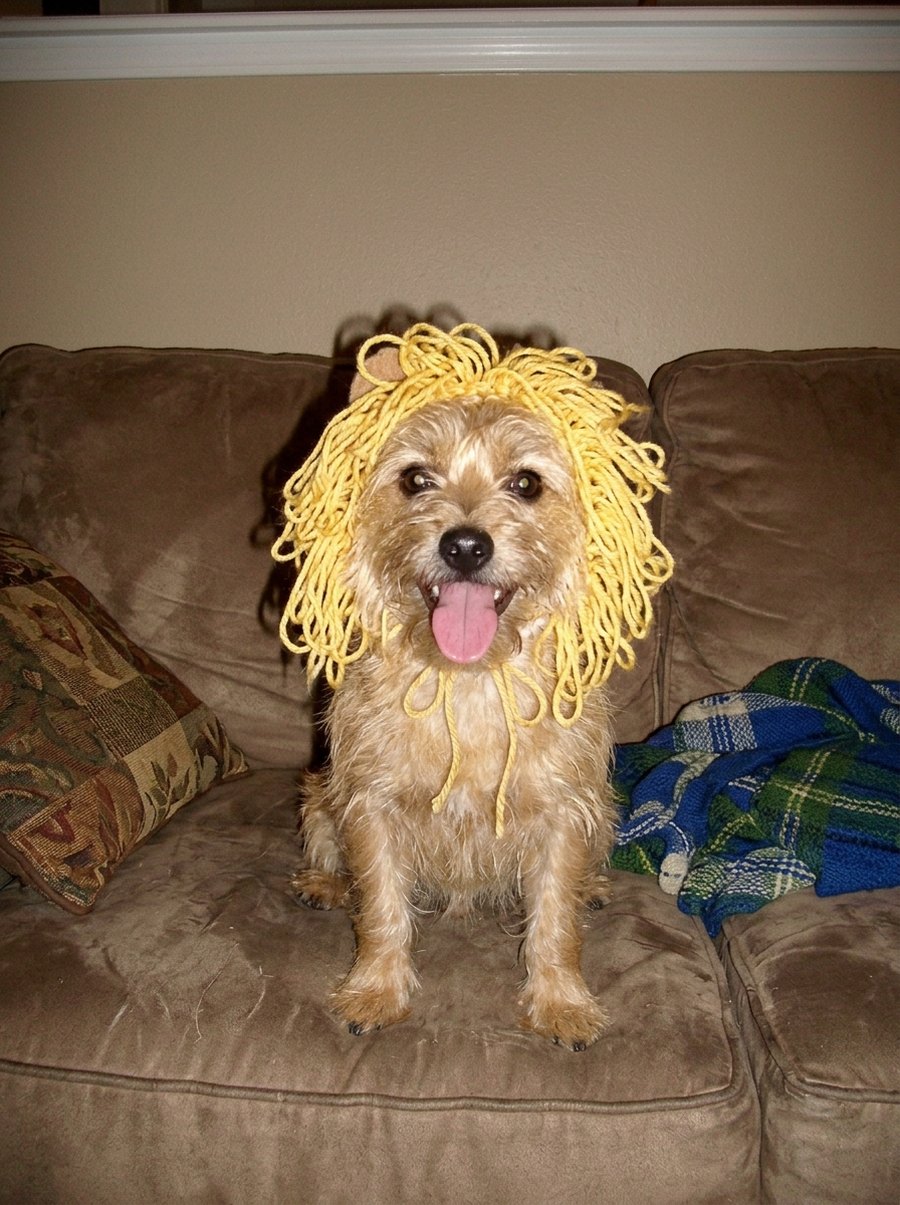
4 · "I'm so sorry"
The truth: the dog, the yarn, the sofa.
Make the lie move
Under the four slides there is one more button. It sends slide 1, the big lie, into the studio below as the photo for the AI Halloween Costume effect: a 5-second clip of that version of you at a pumpkin-lit party, looking down at the costume and striking a pose. Post it as the video version of the lie, or as the last slide instead of the photo. Videos are paid in credits: 5 credits for 5 seconds at 720p, and a render that fails is never charged.
What a video costs here
A 5-second video at 720p here is 5 credits. Pay once for the video you just set up, or subscribe if you make them every week. Failed renders are never charged.
Pay once
Credits never expireSingle
12 credits · 1 video
$9.99
≈ $9.99 / video
Enough for 2 videos like this one
Trio Pack
Save 33%36 credits · 3 videos
$19.99
≈ $6.66 / video
Enough for 7 videos like this one
Crew Pack
Save 51%120 credits · 10 videos
$49
≈ $4.90 / video
Enough for 24 videos like this one
One for everyone in the family, or 5 in Pro quality
Studio Pack
Save 60%300 credits · 25 videos
$99
≈ $3.96 / video
Enough for 60 videos like this one
Bigger packs:Label Pack · 60 videos · $199Best valueSee every pack and plan
Or subscribe and save
Credits refresh monthly · cancel anytimeBasic
100 credits / month · 8 videos
$29.90/mo
≈ $3.74 / video
20 videos like this one, every month
Pro
Save 17%200 credits / month · 16 videos
$49.90/mo
≈ $3.12 / video
40 videos like this one, every month
Agency
Save 33%480 credits / month · 40 videos
$99.90/mo
≈ $2.50 / video
96 videos like this one, every month
- HD video, no watermark
- Download and post anywhere
- Failed renders are free
- Secure checkout by Stripe
More Halloween trends you can do from a photo
All the Halloween trends we make are on one page: the ghost photoshoot, the pumpkin head photoshoot, the zombie story, the Thriller dance, the Ramalama costume walk and more.
Halloween AI Trends
Every Halloween trend on this site, what each one is and which photo to use. Start here if you saw it on TikTok and don't know its name.
Make this one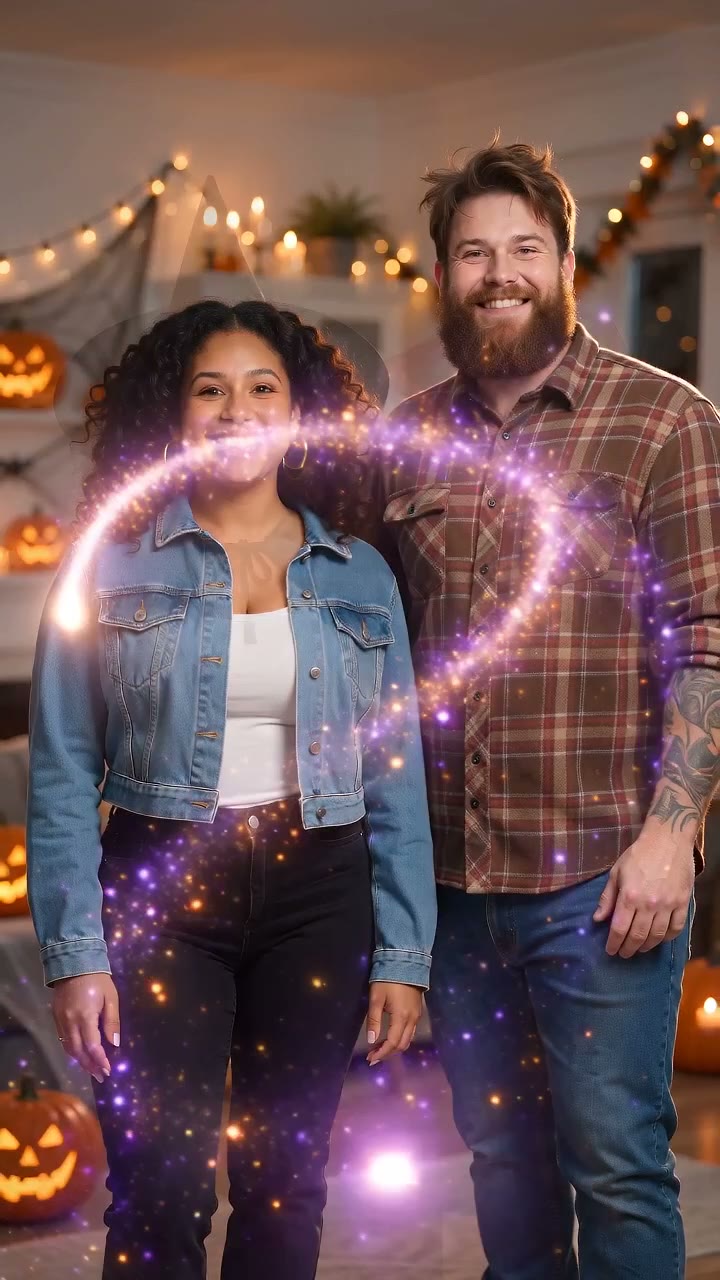
AI Halloween Costume
A pumpkin-lit party, a swirl of sparkles, and you or the two of you suddenly in costume. One photo, 5 seconds.
Make this oneAI Ghost Photoshoot
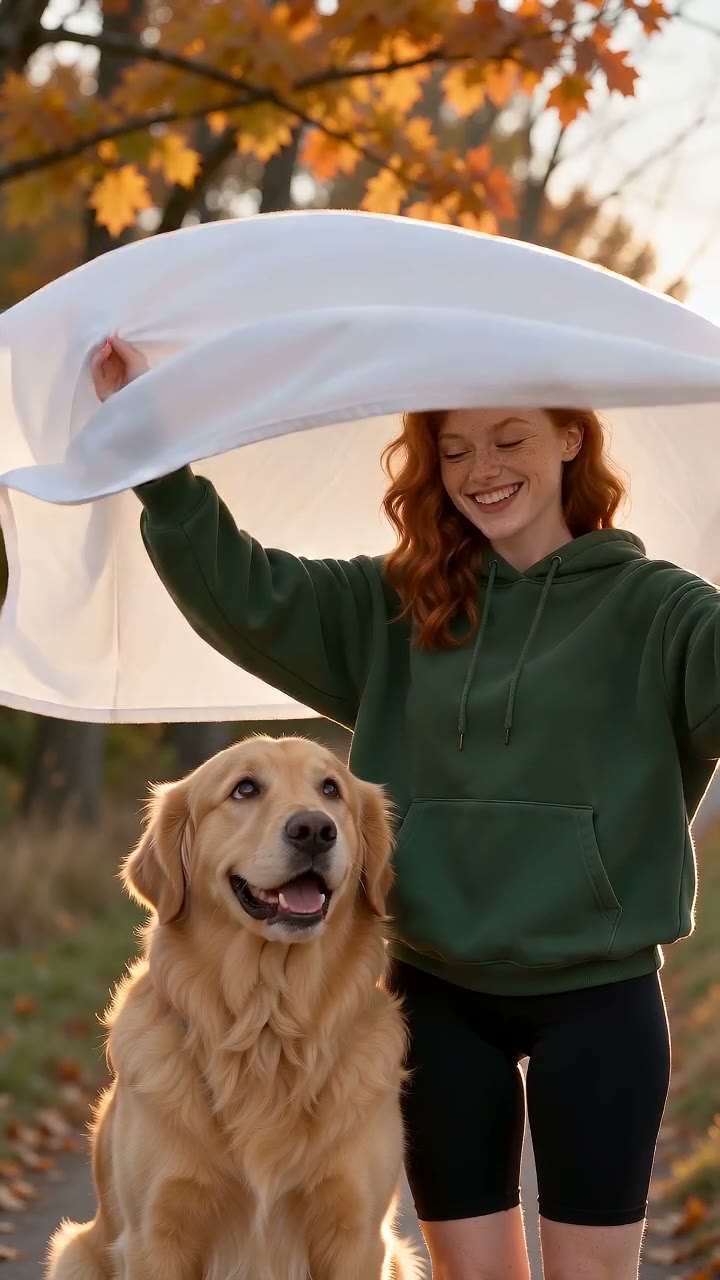
The sheet ghost on an autumn path, sunglasses on, two posed shots, then the reveal. You, a friend or your dog.
Make this one
Restore Old Photos
The same free photo tools, the other way round: scratches, fading and black-and-white fixed in half a minute.
Make this oneI'm so sorry I lied: questions
What does "I'm so sorry I lied" mean on TikTok?
Who started the Halloween costume version?
How do people make the "lie" pictures?
Is it free?
Can I use a photo of my own kid?
Can I say I was Elsa or Spider-Man?
Does it change my face?
Which order do I post them in?
Where do I get the sound?
Does it work for pets?
I'm So Sorry I Lied AI
One real photo, one claim, three lies. Free, about 90 seconds, captions included.