
AI Gender Swap
Meet the other you. Free first: add one photo and see yourself as the opposite gender as a picture in about 25 seconds, same eyes, same skin, same clothes, so it is unmistakably you. Then, if you want the moment, make the video: a pop and a puff of sparkles, the swap happening on camera, you looking down at yourself and back up, and the laugh. Works in both directions, and two people in one photo swap together. 5 seconds, vertical, with its own sound. 5 credits at 720p.
- One photo, a pop, and your opposite-gender twin
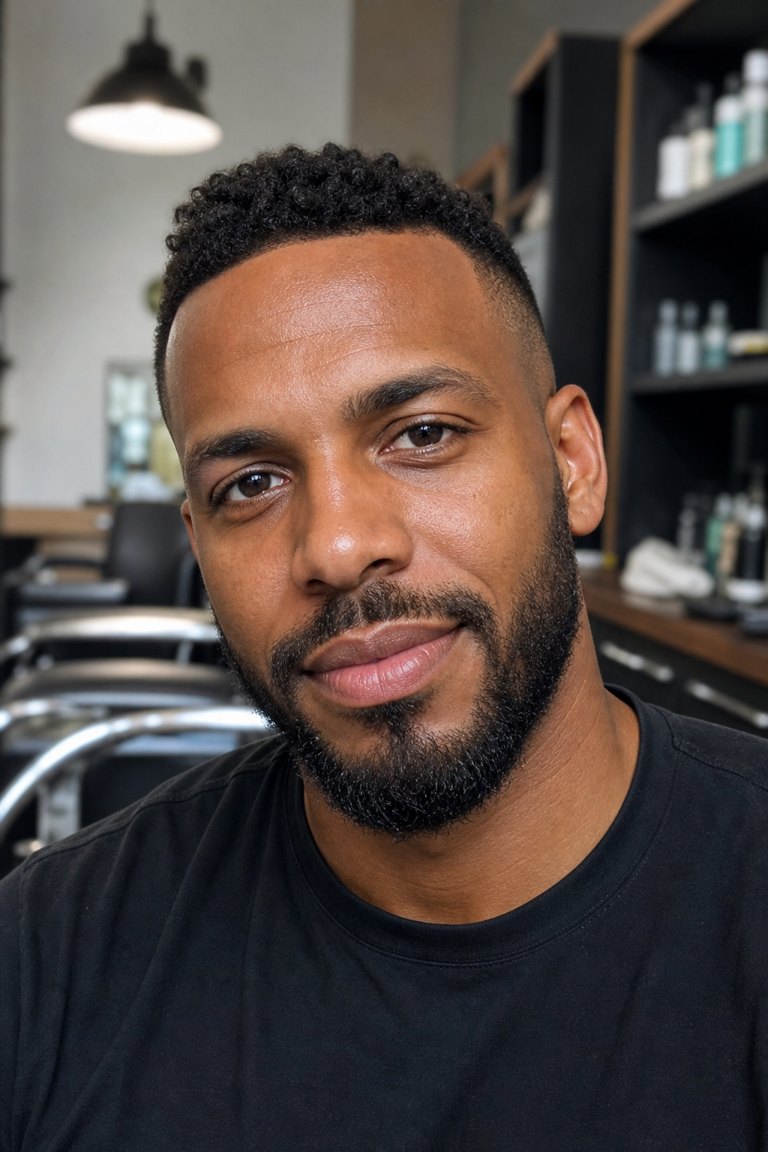
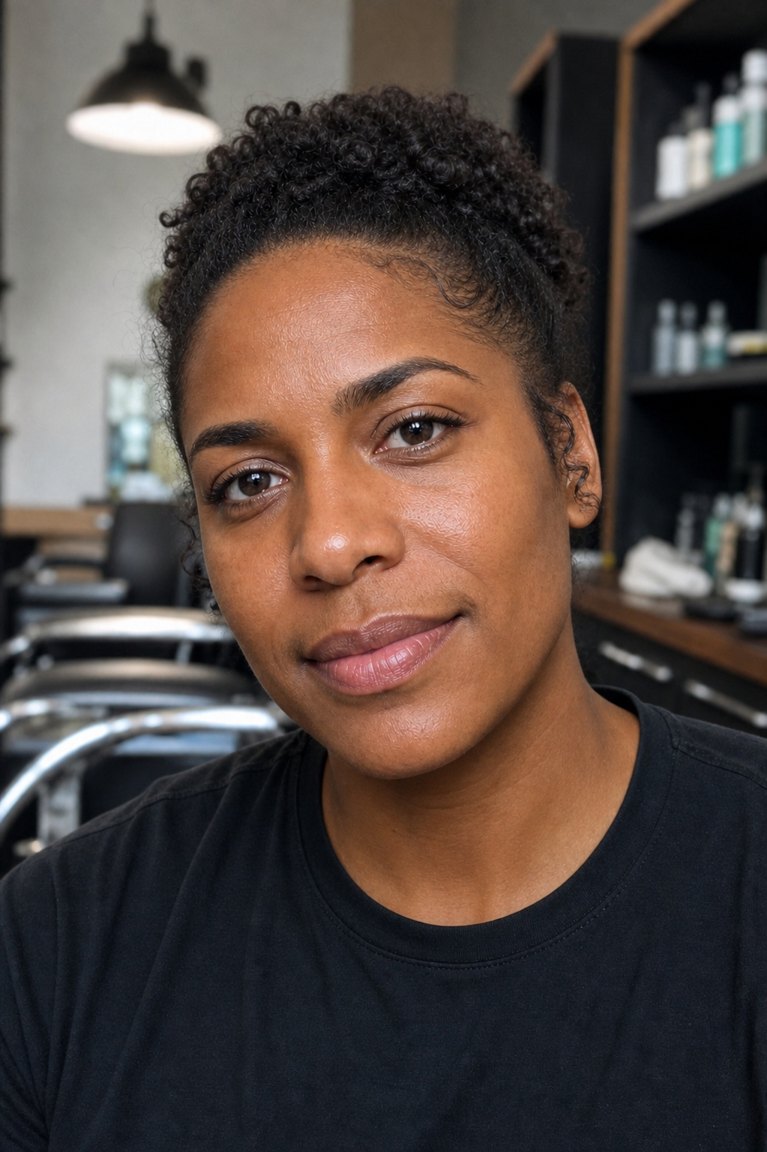 AfterTap to see the photo beforeBeard and dark hair, swapped
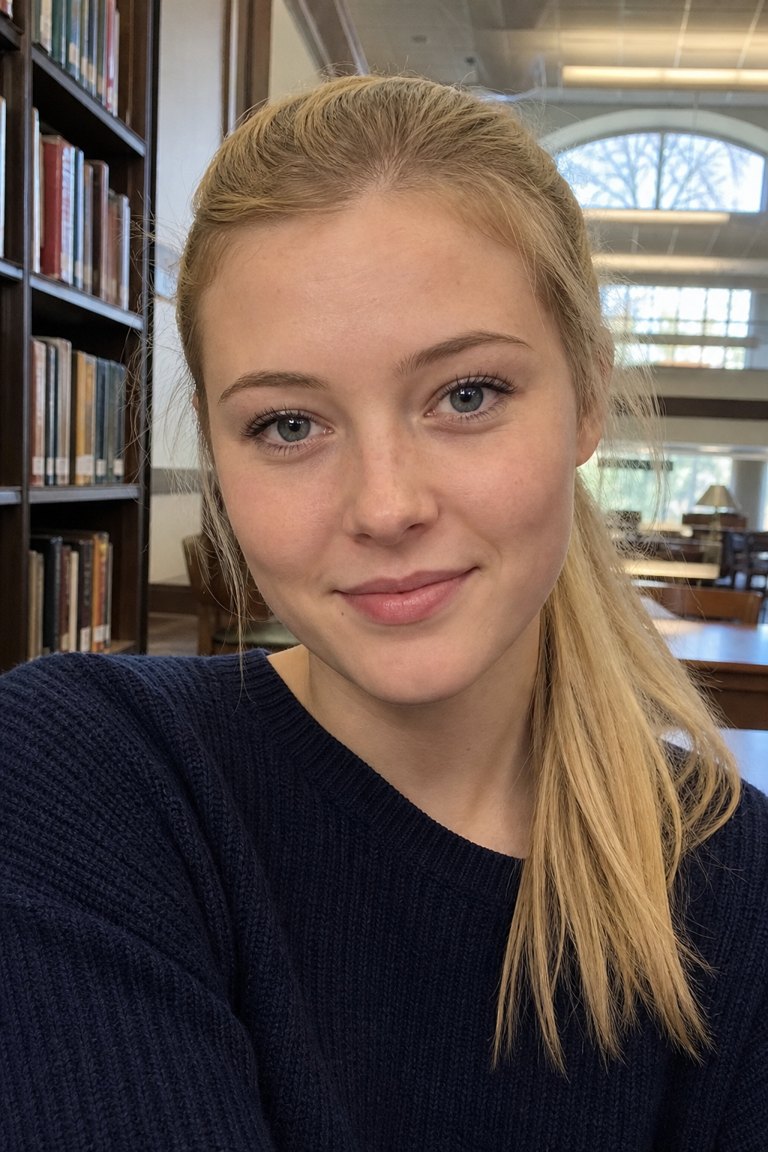
 AfterTap to see the photo beforeBlonde ponytail, swapped
🔄Gender Swap
1–2 people · 5s
- 5 s video
- 9:16, like the original
- No watermark
1Add your photo
👤 Gender Swap: 1 photo is enough
One photo is enough: a solo shot, or one of the two of you. Add a second photo to put two people in the clip.
2Pick quality & length
$9.99 for 2 videos like this · 7 for $19.99 · one-time, no subscription
Or about 20 a month for $29.90/mo · failed renders are never charged
By creating, you confirm you have permission to use every photo. Terms of Service
Ready in a few minutes · Failed renders are never charged · Packs never expire
What's in the 5 seconds
The swap happens on camera, not in a still, and so does the moment you realise who you are looking at.
Beat 1 · You, as in the photo (0–1s)
Your face, your hair, your shirt, looking at the camera the way you did when the photo was taken.
Beat 2 · The swap (1–2s)
A pop, a few sparkles, and the brow, jaw, hair and any facial hair cross over. Eyes, skin tone and the shape of the face stay.
Beat 3 · The look down (2–3s)
You look down at yourself, the first thing anyone does, and the clothes have not changed.
Beat 4 · Back to the camera (3–4s)
Up again, the double-take: the eyes are yours, the face is your sibling's.
Beat 5 · The laugh (4–5s)
A big laugh at the lens. The room, the light and the outfit never change.
How to use the AI gender swap
- 1
Add a photo with your face clear
Front-facing, head and shoulders, nothing over the eyes. Glasses, earrings and beards are fine; the swap decides what to do with them. Two people in one photo swap together.
- 2
The free picture
Show me in the card up top; around half a minute later the other you sits next to the original, with a slider to drag between them. Keep it, or try a different photo, up to three a day.
- 3
The video, if you want the moment
Make the 5-second video drops the same photo into the studio with Gender Swap already picked, so the pop, the swap, the look down and the laugh render as a clip: 5 credits at 720p, no prompt to write.
Gender swap results: six photos, both directions
Seven of our own test portraits, AI-generated, each pushed through the card at the top of this page. The original is on the left; the other you came back about 25 seconds later.
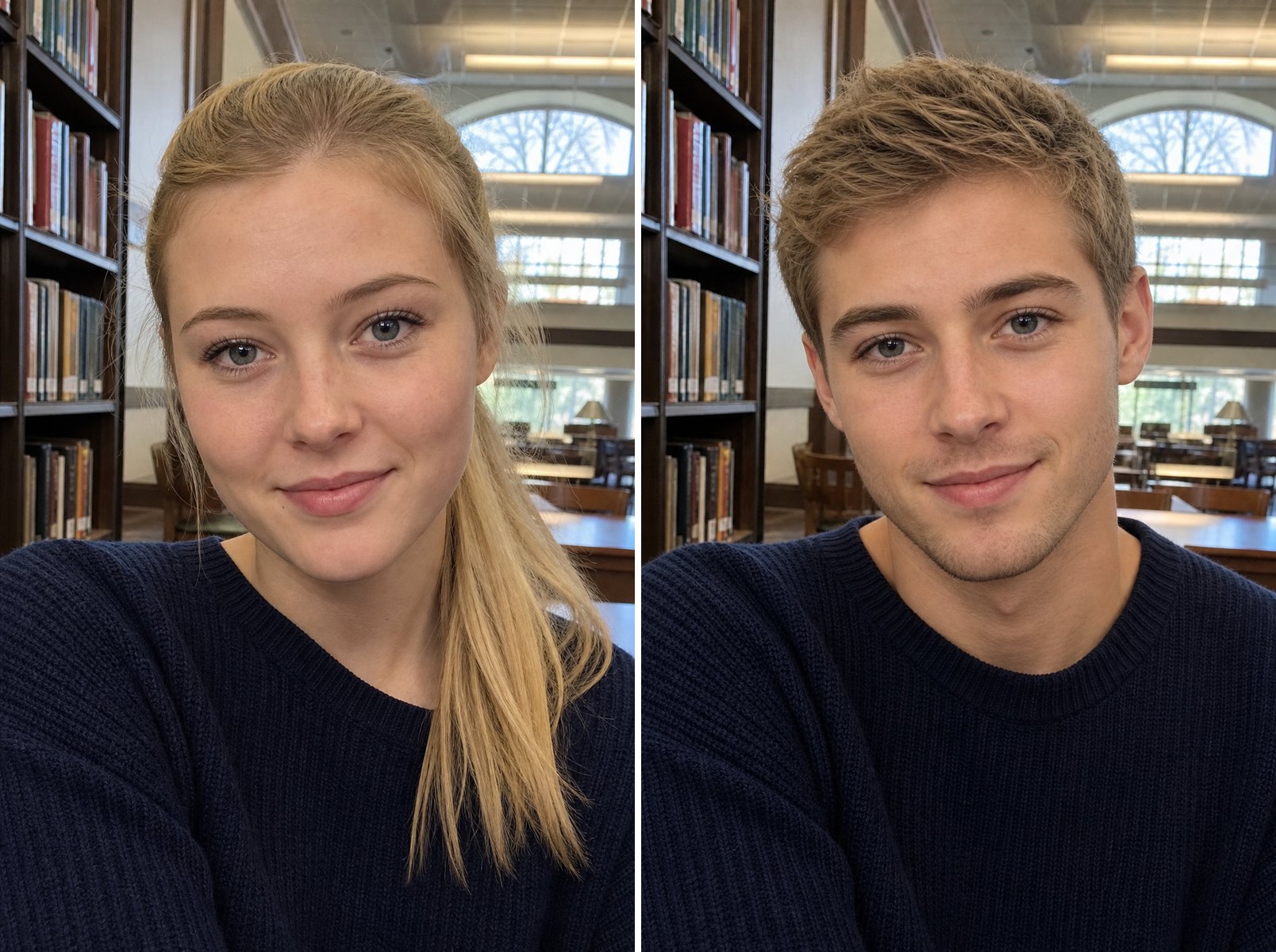
Blonde ponytail to the brother, 22
Ponytail to short hair, a squarer jaw, the same eyes and the same library. The one most people send to their actual brother.
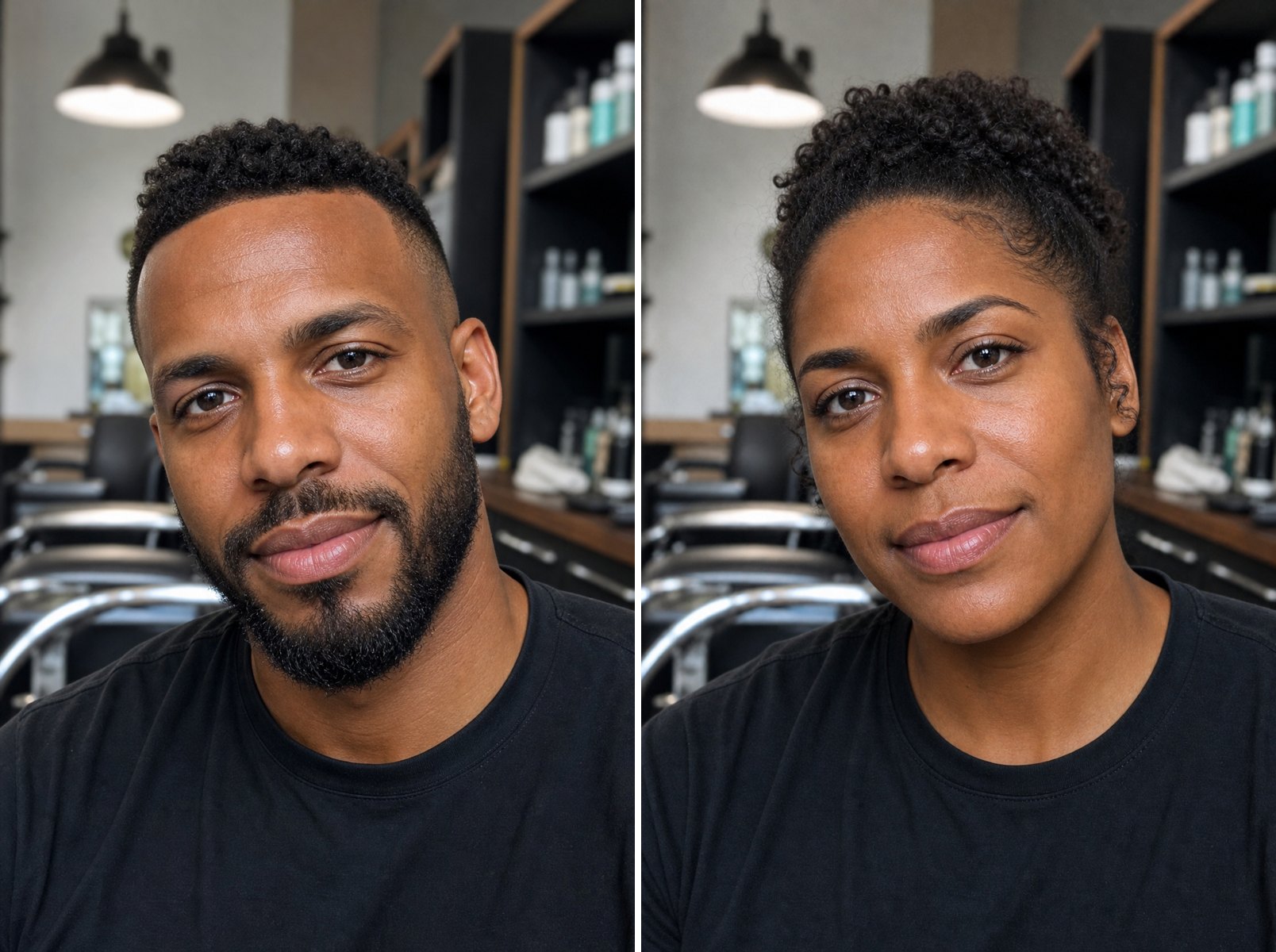
Short beard to the sister, 35
The beard goes, the brow softens, the barbershop and the shirt stay. Skin tone and eyes untouched.
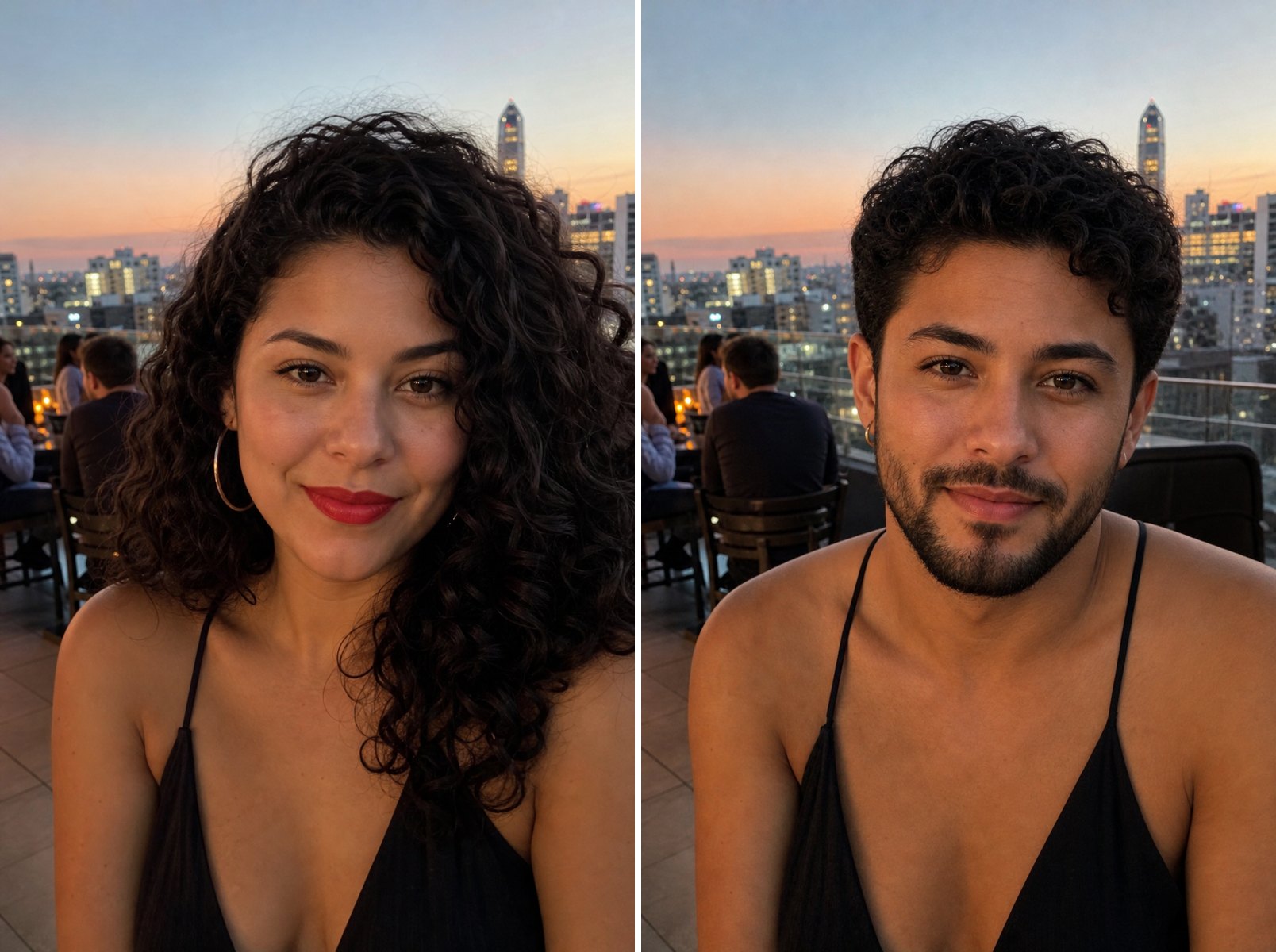
Big curls and red lipstick to the brother, 28
The curls get shorter, the lipstick goes, the rooftop at dusk does not move. Still her cheekbones.
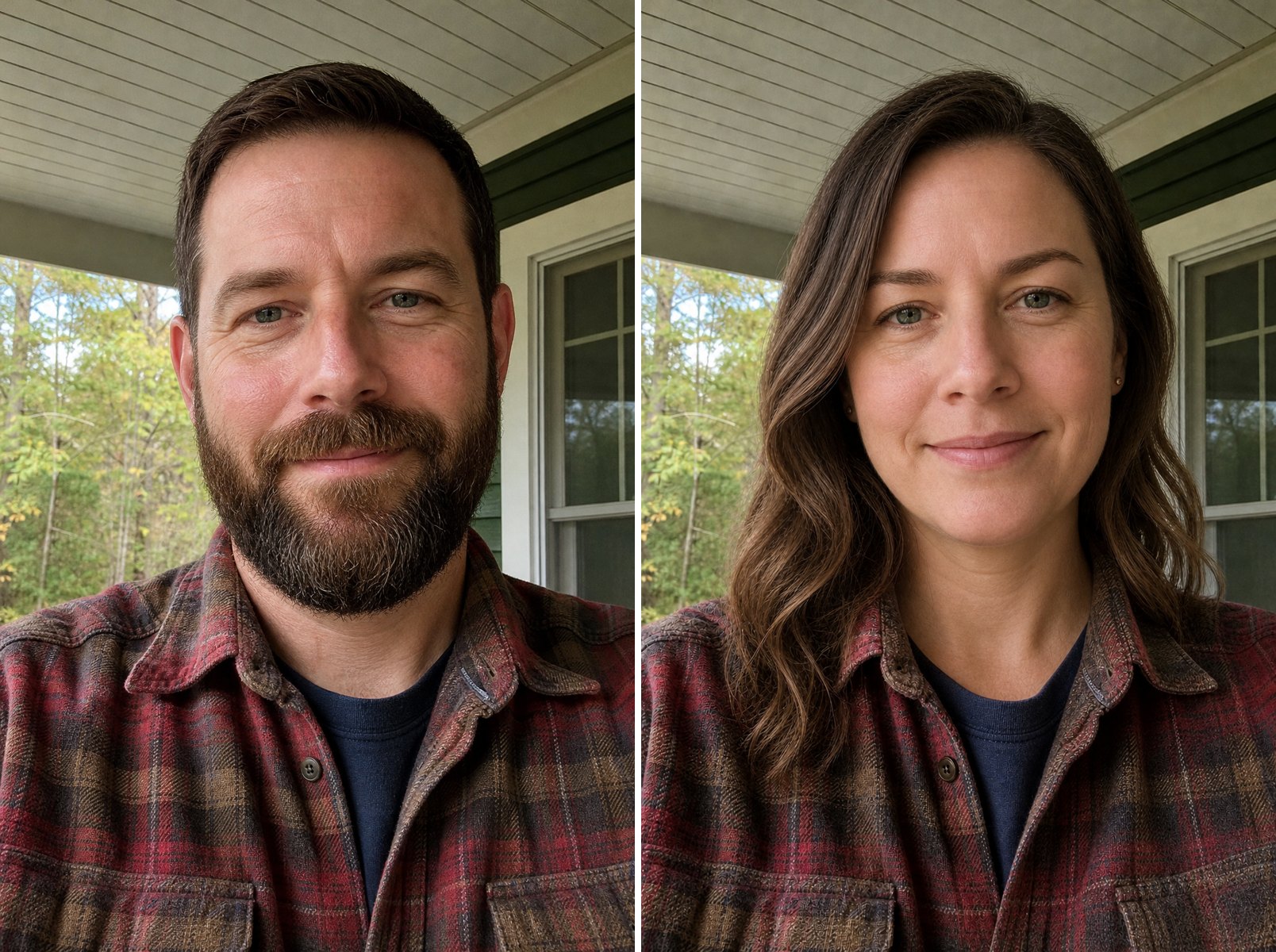
Full beard to the sister, 40
The hardest case for a swap: a full beard. It goes, the flannel stays, and the age stays at 40 rather than dropping to 25.
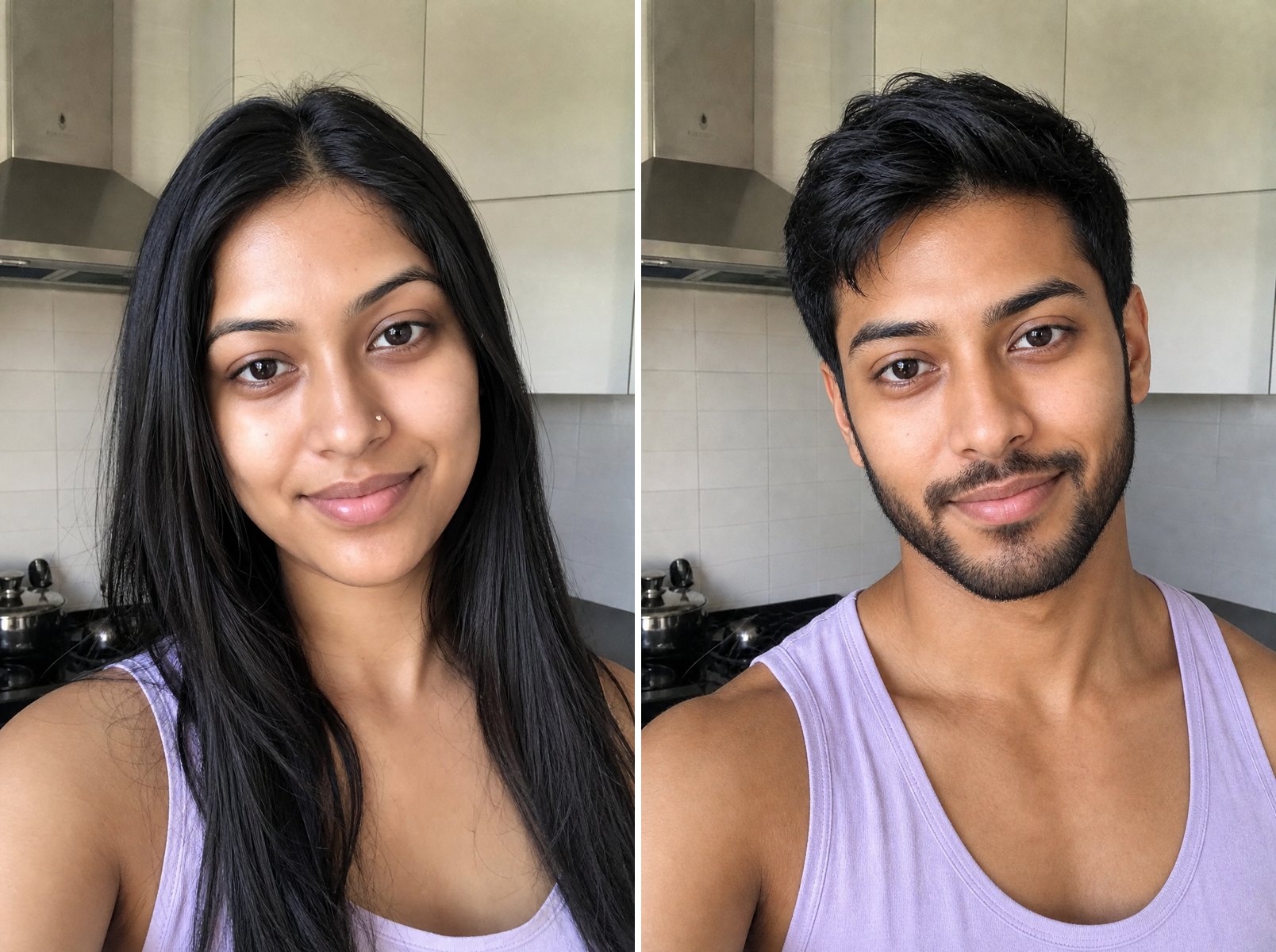
Long black hair to the brother, 26
The hair shortens, the jaw squares, light stubble arrives, the kitchen and the vest stay. The small nose stud did not survive, the one thing we would argue with.
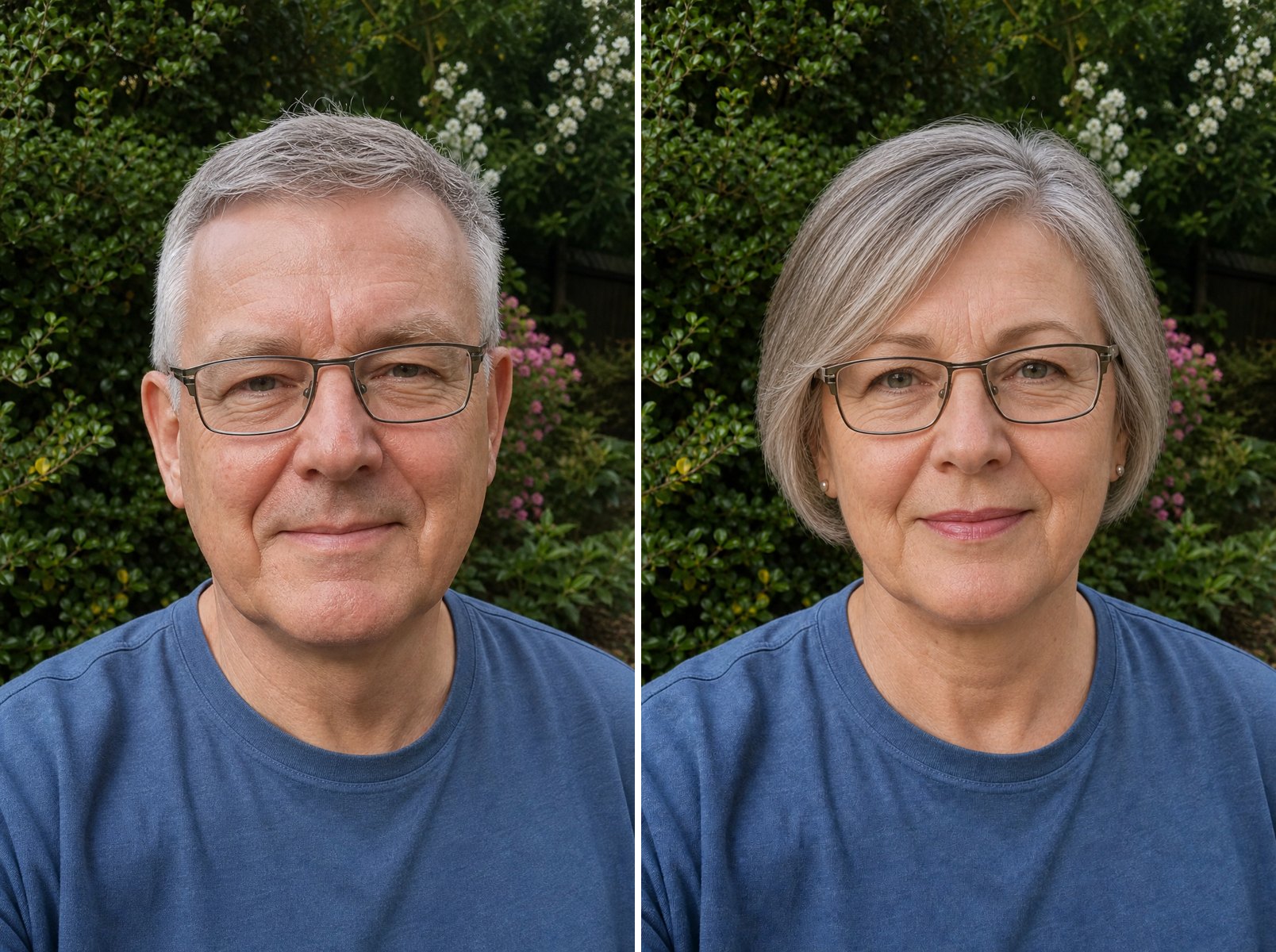
Grey hair and reading glasses at 60
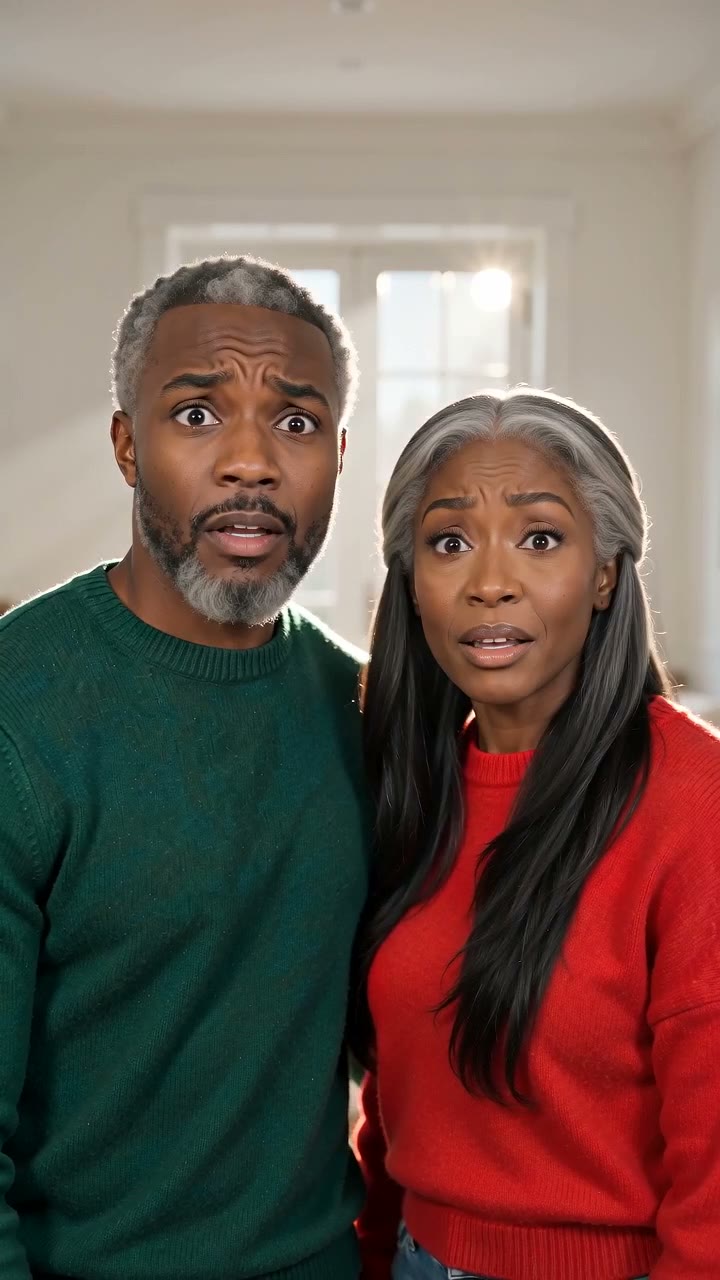
Age is kept, not reset: a 60-year-old man becomes a 60-year-old woman, glasses and garden included.
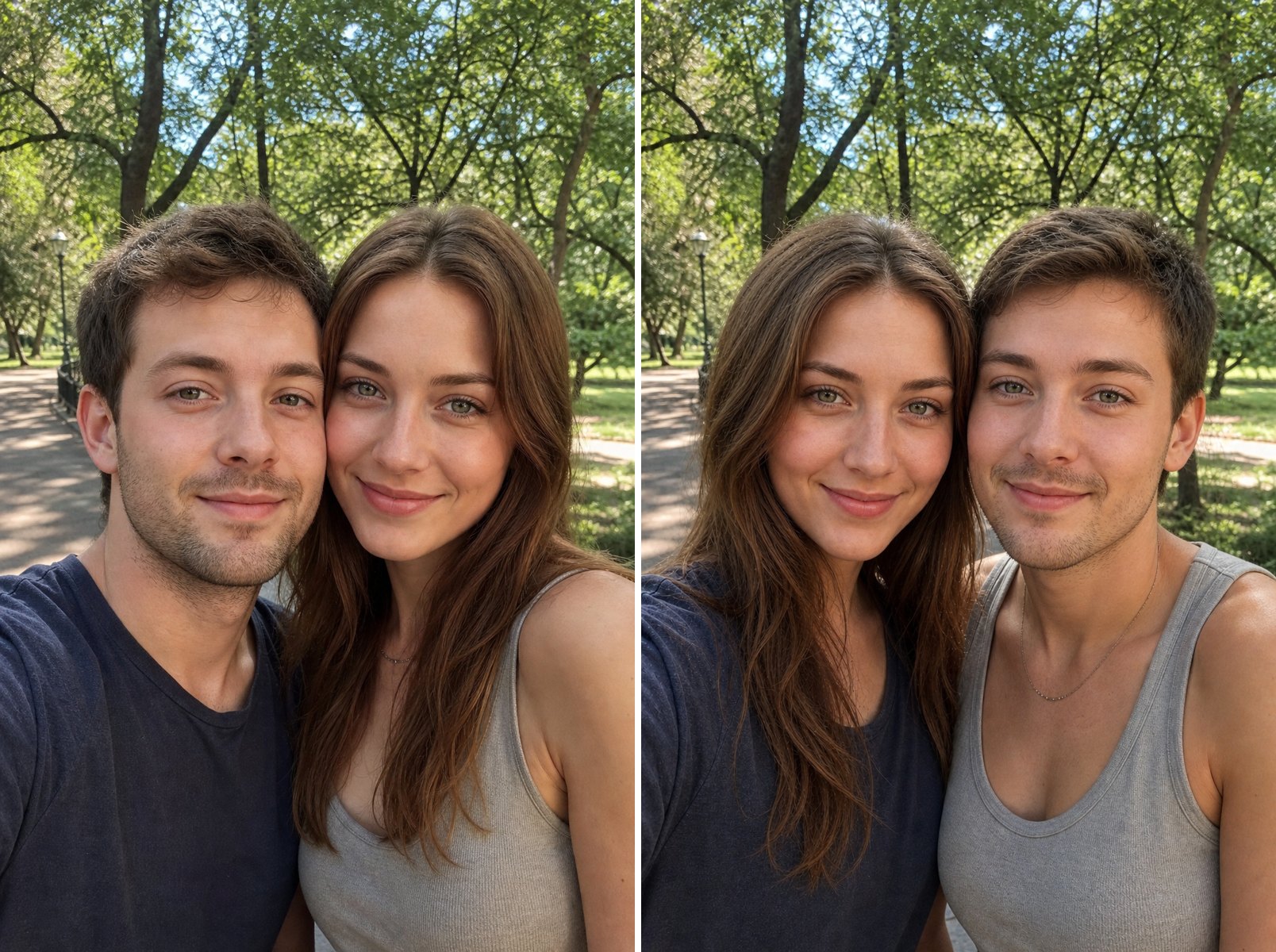
A couple, both swapped
Two people in one photo cross over at the same time, for the same price as one. The most reposted version of this effect.
What the gender swap preview gets right, and where it guesses
Thirteen photos of our own test portraits before this page got the card, including the ones meant to break it. The honest results:
Mostly works: glasses and earrings
Frames and hoops stay where they are, treated as yours rather than as a gender cue. A small nose stud was dropped in one test, so expect tiny jewellery to go now and then.
Works: beards, in both directions
A full beard disappears cleanly on the way to the sister; the brother gets stubble or a beard that matches his hair. Age stays the same either way.
Works: two people in one photo
A couple cheek to cheek both cross over at once, without the faces swapping places.
Guessed: sunglasses
The swap keeps the eyes you have, so with the eyes hidden it invents them. Fine for a laugh, not for the resemblance test.
Works: a three-quarter turn
Looking over the shoulder keeps the pose and the swap; a strict profile hides too much of the face to judge.
Blurry photos get sharpened
A low-resolution webcam shot comes back swapped and clearer than the original; the extra detail is invented. Use the sharpest photo you have.
What would I look like as a girl, or as a boy? What changes and what doesn't
What crosses over. The swap works on the handful of features people read gender from: the brow ridge and the distance between brow and eye, the width and corner of the jaw, the fullness of the lips, the hairline and hair length, and facial hair. Those move; everything else is left alone. That is why the result looks like a sibling and not like a stranger, and why the eyes are the first thing people recognise.
As a girl. From a man's photo the brow comes down and smooths, the jaw narrows, the lips fill out, stubble or beard goes, and the hair is grown to a length that suits the face shape, usually to the shoulders. No makeup is added unless your photo already has the light for it; a 40-year-old becomes a 40-year-old woman, not a 25-year-old.
As a boy. From a woman's photo the brow strengthens, the jaw squares and the neck reads thicker, the hair is cut to a short men's style in your colour, and light stubble appears if the face carries it. Lipstick goes; earrings and glasses stay, because they are yours (a very small stud can get lost). The age is kept here too.
Why the lens version looked like a stranger. The 2019 Snapchat lens and the apps that copied it swapped a generic male or female face template over yours and blended it, which flattered everyone the same way. This preview edits your own photo feature by feature, so a crooked smile stays crooked and a scar stays. Less flattering, more you.
 AfterTap to see the photo before

The rules of the swap
- Kept
- Eyes and eye colour, skin tone, face shape, expression, age, clothes, glasses, earrings, the room and the light
- Changed
- Brow, jawline, lips, hairline and hair length, facial hair
- Both directions
- Man to woman and woman to man, decided from the photo; two people in one photo swap together
- Time and price
- About 25 seconds for the free picture (three a day); a few minutes and 5 credits for the 5-second video
The mirror problem: why your swap looks wrong to you and right to everyone else
You have never seen your own face. You know it from mirrors, which flip it left to right; everyone else knows it from the un-flipped version. Faces are not symmetrical, so the photo version always looks a little wrong to its owner, and a swap that changes the brow and the jaw makes that feeling louder. Your sister sees a sister; you see a stranger.
The fix takes one tap. Flip the result horizontally in your phone's editor and look again: that is the mirror version, the one your brain is used to. Most people who found the swap “not quite me” find it uncomfortably accurate after the flip.
Send it before you judge it. The person who knows your face from the outside is the better judge, which is why the quickest test is to send the picture to a sibling or your partner with no caption and read the reply. “Why do you look like Mum” is a pass.
 AfterTap to see the photo before

The quick test
- Flip it
- Mirror the picture horizontally and the resemblance usually snaps into place
- Ask someone
- A sibling or a partner sees the un-mirrored you every day; their verdict counts more than yours
- Compare eyes first
- The swap keeps them exactly; if the eyes read as yours, the rest is honest
The gender swap filter, from Snapchat to AI
Snapchat, 2019. Snapchat’s gender change lens arrived on 9 May 2019 and went viral almost overnight, with people posting their swapped selves and testing them on dating apps. The AP covered the craze on 21 May 2019. FaceApp had a similar feature at the time.
The AI wave. In December 2025 AI tools brought a new round of gender swaps, with people swapping celebrities and posting the results.
Fan art joins in. In September 2026 “Malfoid”, a female version of Draco Malfoy, spread through fan art communities, another sign of how much people enjoy the what-if.
What this one adds. Instead of a live lens or a still, one photo of you becomes a short video: the swap with a pop, you looking down at yourself and laughing. Made for your own photos and friends who are in on it.
Snapchat, FaceApp, TikTok, and this: which gender swap to use
Snapchat's lens is live and generic. The 2019 gender change lens runs on your camera, blends a template face over yours and follows you as you move, which is why it was so much fun to film and why everyone's swap looked a little like everyone else's. It still exists: open the camera, tap search and type “gender swap”; creator-made versions come and go.
FaceApp works on a photo, inside an app. FaceApp's gender filters edit a still, closer to what this page does, with the app's own look applied on top; it is the one people mean when they say “the app that made everyone a girl”. TikTok's effects tab has several “what would I look like as a boy/girl” filters, live overlays like Snapchat's.
This page: your photo, feature by feature, in a browser. No app, no template face: the preview re-renders the features that read as gender and leaves the rest of your face alone. Free as a picture, and the only one of the four that then turns the swap into a video with your reaction in it.
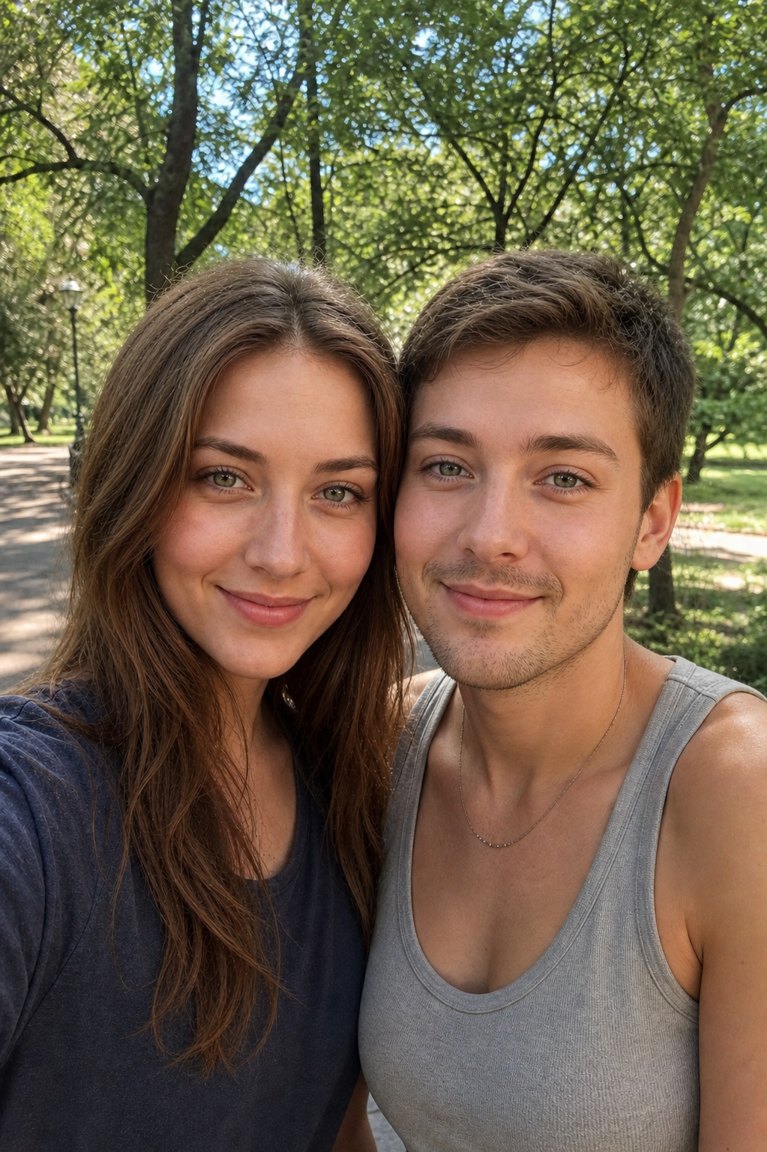 AfterTap to see the photo before
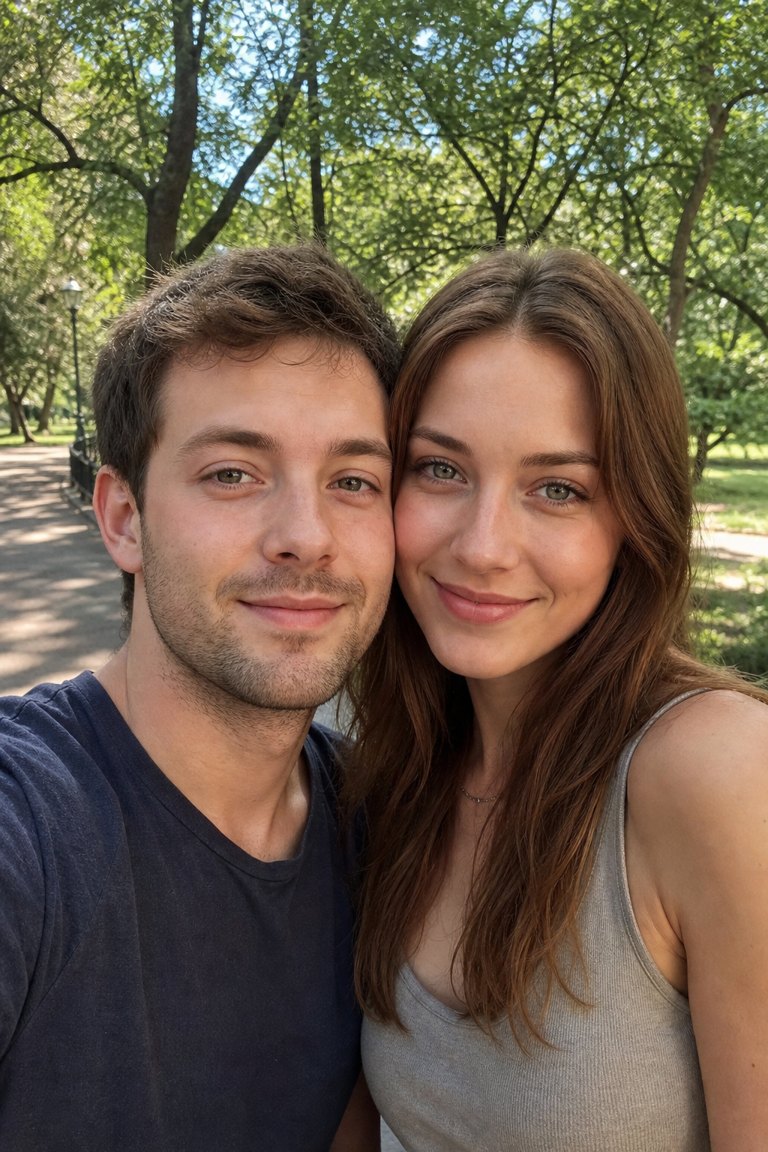
Side by side
- In one sentence
- RapVideoAI's gender swap is a free opposite-gender preview from one photo (a still in about 25 seconds, three a day) plus an optional 5-second video of the swap happening, for 5 credits.
- Snapchat, TikTok lens
- Live camera, free; a template face blended over yours; a screen recording at best.
- FaceApp
- Photo-based, in the app, the app's look applied; stills only.
- Best for the resemblance test
- A photo tool on a sharp, front-facing photo with nothing over the eyes; send it to a sibling and see who they see.
Ways to use the gender swap
Light-hearted, curious and very shareable.
Swap as a couple
A photo of you two: both swap at once. Who looks more like their sibling now?
Send it to your siblings
“Meet your new sister” (or brother). Families always spot the resemblance first.
Best friends swapped
Swap the duo and post it next to the original photo.
Meet your twin
Post it with “if I had a twin” and let the comments decide.
Pair it with another filter
Swapped, then aged 50 years? Make both and post them together.
Tips for a better gender swap clip
The swap keeps your features, so they need to be clear.
Front-facing, even light
A clear face keeps your eyes, smile and face shape through the swap.
Head and shoulders or waist-up
Waist-up lets you look down at yourself in the reaction.
Nothing covering the face
No sunglasses, masks or hands on the face.
Post it as it is
The swap lands in the first few seconds. A caption like “my evil twin” does the rest.
Six captions for the swap
For the picture or the video; the replies write themselves.
“Meet my sister.” / “Meet my brother.”
The classic. Works best sent to the real one.
“We swapped. Who got the better deal?”
For the couple photo.
“If I had a twin.”
The post-it-and-wait version.
“Asked AI what I'd look like as a girl/boy.”
Honest, and the one people search for.
“Swapped, then aged 50 years.”
Make the age version too and post the pair.
“Still me?”
Post only the after and let people guess.
Met the other you? Two more versions
Same photo, two more what-ifs people post next to the swap.
AI Age Filter
You at 80, from the same photo: grey hair, laugh lines and the same eyes. Post the swap and the age version side by side and let the comments pick a favourite.
Make this one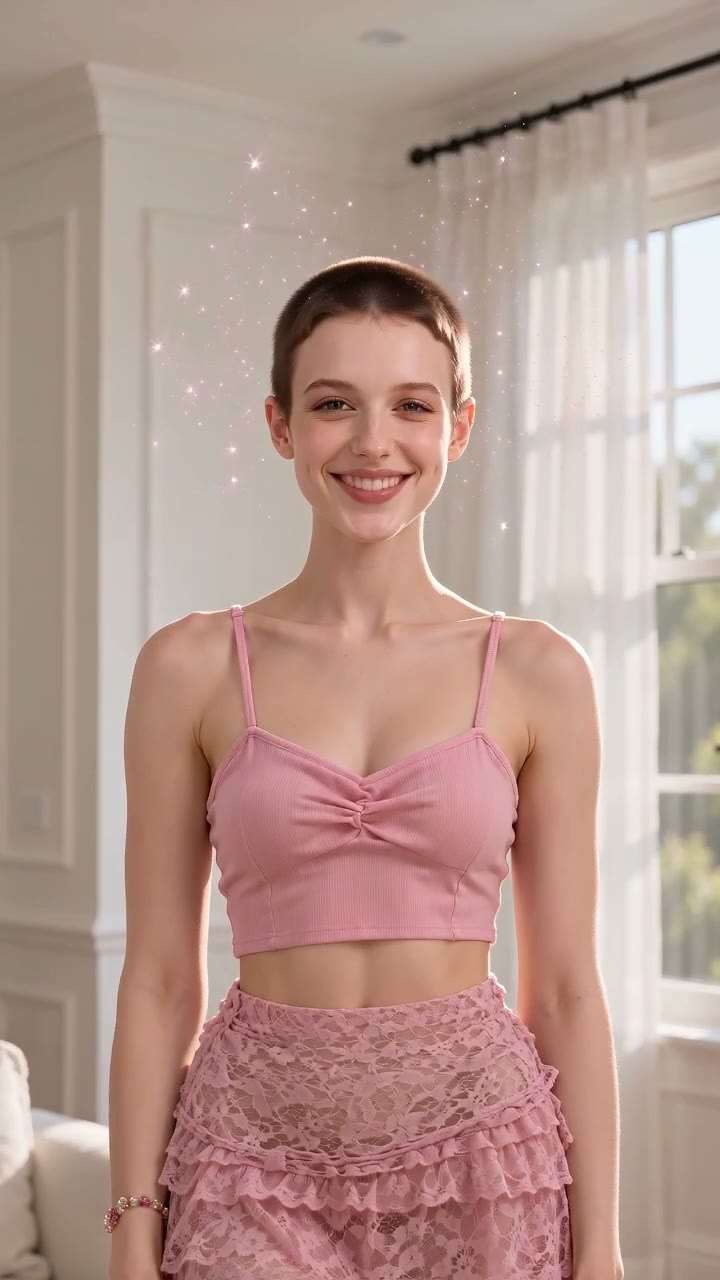
AI Buzz Cut Filter
The other classic what-if: the same face with a #2 buzz cut, free as a picture first. The hairline and the ears the swap kept are exactly what the buzz cut shows.
Make this oneWhat a video costs here
A 5-second video at 720p here is 5 credits. Pay once for the video you just set up, or subscribe if you make them every week. Failed renders are never charged.
All counts here are standard videos: 12 seconds at 720p = 10 credits. Effects, remakes, longer or HD videos show their own credit cost before you make them, and a failed render is never charged.
Pay once
Credits never expireSingle
12 credits · 1 standard video
$9.99
≈ $9.99 / standard video
Enough for 2 videos like this one
Trio Pack
Save 33%36 credits · 3 standard videos
$19.99
≈ $6.66 / standard video
Enough for 7 videos like this one
Crew Pack
Save 59%120 credits · 12 standard videos
$49
≈ $4.08 / standard video
Enough for 24 videos like this one
One for everyone in the family, or 5 in Pro quality
Studio Pack
Save 67%300 credits · 30 standard videos
$99
≈ $3.30 / standard video
Enough for 60 videos like this one
Bigger packs:Label Pack · 72 standard videos · $199Best valueSee every pack and plan
Or subscribe and save
Credits refresh monthly · cancel anytimeBasic
100 credits / month · 10 standard videos
$29.90/mo
≈ $2.99 / standard video
20 videos like this one, every month
Pro
Save 16%200 credits / month · 20 standard videos
$49.90/mo
≈ $2.50 / standard video
40 videos like this one, every month
Agency
Save 30%480 credits / month · 48 standard videos
$99.90/mo
≈ $2.08 / standard video
96 videos like this one, every month
- HD video, no watermark
- Download and post anywhere
- Failed renders are free
- Secure checkout by Stripe
AI Gender Swap: questions
Can't find your answer? Email us at [email protected] and we'll get back to you.
What is the AI gender swap?
Will I still look like me?
How is it different from a TikTok or Snapchat ai gender swap lens?
Is this like the Snapchat gender swap filter?
Does it work both ways?
Do my clothes change?
Can two people swap together?
Can I use a photo of a celebrity?
What would I look like as a girl?
What would I look like as a boy?
Why does my swap look like my sibling?
What happens to my photo?
What does it cost?
Meet the other you, free
One photo in, a picture of yourself swapped in about 25 seconds; the 5-second video of the swap happening for 5 credits, and a failed render is never charged.